
Free to use Cloud Client-up to 4x V100 GPU

News

SimWorks releases SimWorks Finite Difference Solutions version 3.1.0

SimWorks releases SimWorks Finite Difference Solutions version 3.1.0

Dear users: Thank you all for your attention and support to the SimWorks software. To further optimize the user experience and enhance the simulation quality, this software has been updated to version 3.1.0.**The key update contents this time are:** #### Adds the EME Eigenmode Expansion Solver The Eigenmode Expansion (EME) solver divides a long waveguide structure into multiple cells along the propagation direction, solves for the eigenmodes of the cross-section in each cell, and then computes the coupling of these modes between adjacent cells to obtain the complete optical characteristics of the entire device. The EME solver is particularly suitable for analyzing and designing photonic devices with lengths much larger than the wavelength and with slowly varying or periodic refractive index profiles, such as multimode interference couplers (MMIs), fiber Bragg gratings, and adiabatic tapered waveguides. Compared to direct 3D FDTD simulations, the EME solver achieves significantly faster computation speeds while maintaining accuracy, and allows rapid parameter sweeps of key parameters such as device length and wavelength after a single mode calculation, greatly enhancing the design efficiency of photonic integrated circuits. ![](https://simworksofficial-files.oss-cn-beijing.aliyuncs.com/mdfile/resources/img/EME_cell_s_matrix.png) #### Slurm Cluster Resources Now Support File Transfer via Shared Folders and Local Slurm Job Submission This update brings two major enhancements to SimWorks' Slurm cluster resource management: support for file transfer via shared folders, and the ability to submit Slurm jobs directly from a local machine (Linux only). - Support for file transfer via shared folders This feature allows users to map their local working directory to a shared directory on the Slurm cluster. With just one-time path mapping configuration, the system automatically translates local paths to cluster-recognized paths, enabling direct read and write access to project files and result data without the need for traditional SSH+SCP uploads and downloads. This significantly improves file transfer speed and simplifies workflows, especially for handling large datasets. - Local Slurm job submission (Linux only) Now, users on local Linux hosts with Slurm client components installed can choose the local mode to submit Slurm jobs. In this mode, Slurm commands such as `sbatch` are executed directly on the local machine to submit computational tasks, eliminating the need to SSH into a remote management node. This "local submission" mode reduces network hops, making job submission more convenient and efficient, and lowers the risk of job submission failures due to network instability. The local job submission feature is currently supported only on Linux. Users need to configure the job submission method (Local) and file transfer method (Shared directory) in the SimWorks cluster configuration interface, and correctly specify the local-to-remote path mapping. ![](https://simworksofficial-files.oss-cn-beijing.aliyuncs.com/mdfile/resources/img/Slurm_setting_local.png) #### Adds the rectilinear grid dataset type `rectilineardataset` Adds a new rectilinear grid dataset type `rectilineardataset`, providing more flexibility for data storage and processing. Complete update content see - [Release Notes](https://www.simworks.net/en/release-note/-/v3.1), Welcome users to download to use - [Customer Downloads](https://www.simworks.net/en/trial-instruction) ! Shandong Guangfang Software Company has been deeply engaged in the development of optical simulation software for many years, committed to providing more professional and efficient simulation services. Once again, we thank you all for your attention and look forward to your feedback and valuable suggestions!
2026-02-28 17:48:15
Details
SimWorks releases SimWorks Finite Difference Solutions version 3.0.0

SimWorks releases SimWorks Finite Difference Solutions version 3.0.0

Dear users: Thank you all for your attention and support to the SimWorks software. To further optimize the user experience and enhance the simulation quality, this software has been updated to version 3.0.0. **The key update contents this time are:** #### Support for Topology-Based Inverse Design Optimization Inverse design now supports a more flexible topology optimization method. It liberates users from dependence on predefined geometries. By simply specifying a design region and available materials, the algorithm automatically explores the optimal material distribution within that space, ultimately generating high-performance designs with structures that may far exceed traditional expectations. The core concept involves discretizing each FDTD grid cell within the design region into a design parameter representing a material. Based on the normalized grayscale values of these parameters, the topology optimizer is initiated, yielding an optimal design that combines high performance with intricate topology. This provides a powerful tool for developing a new generation of ultra-compact photonic devices, efficient optical sensors, and more. ![](https://simworksofficial-files.oss-cn-beijing.aliyuncs.com/mdfile/resources/img/topology_optimization_new.png) #### Support for MATLAB API Calls The software provides MATLAB API functionality, allowing users to deeply interact with the SimWorks Finite Difference Solutions simulation software by writing MATLAB scripts or programs. Through this interface, users can: - Directly control the simulation software: perform operations such as launching the software, setting parameters, and running simulations. - Achieve bidirectional data exchange: transmit variables, matrices, and complex data structures from the MATLAB workspace to SimWorks, and also extract simulation results and data from the software. - Build automated workflows: integrate the simulation setup, execution, and post-processing flow within the MATLAB environment to achieve task batching, parameter sweeps, and design optimization. Leveraging this API, users can seamlessly combine the powerful physical field simulation capabilities of SimWorks with MATLAB's data analysis and visualization functions. This not only significantly improves the efficiency of simulation post-processing but also offers high flexibility for realizing more complex modeling and building customized simulation platforms. The following code sets up the API runtime environment for SimWorks FD Solutions in MATLAB. ```matlab % Setting up the MATLAB API environment for SimWorks Finite Difference Solutions % Set the software file path (the directory containing `fd_solution.exe`) bin_dir = 'C:\Program Files\SimWorks\SimWorks FD Solutions\bin'; if ~contains(getenv('PATH'), bin_dir) setenv('PATH', [getenv('PATH') ';' bin_dir]); end % Set the MATLAB API interface file path (the directory containing `.mexw64` files) mex_dir = 'C:\Program Files\SimWorks\SimWorks FD Solutions\api\matlab'; if ~contains(path, mex_dir) path(path, mex_dir); end ``` #### New Planar Solid Structure Support is added for the *Planar Solid* structure, which resembles a polygon structure extruded into three-dimensional space. Users can directly construct solid models of arbitrary shapes by defining vertices and facets. This fundamentally simplifies the creation process for complex 3D components. Users no longer need to manually combine multiple basic structures (like blocks and cylinders) and tediously set the mesh order for their overlapping parts, thereby significantly improving modeling efficiency and accuracy. Using this structure requires defining two key variables: - _vertices_: A vertex coordinate matrix, where each row represents the (x, y, z) coordinates of a vertex. - _facets_: Defines which vertices enclose each facet. This variable can be a matrix or a cell array. The order of vertex indices should follow the right-hand rule to determine the front and back sides of a facet (as shown in the figure below, the path defined by vertices $1 \rightarrow 2 \rightarrow 3 \rightarrow 4$ represents the front side, while the path $5 \rightarrow 6 \rightarrow 7 \rightarrow 8$ represents the back side). ![](https://simworksofficial-files.oss-cn-beijing.aliyuncs.com/mdfile/resources/img/planar_solid_picture.png) Complete update content see - [Release Notes](https://www.simworks.net/en/release-note/-/v3.0), Welcome users to download to use - [Customer Downloads](https://www.simworks.net/en/trial-instruction) ! Shandong Guangfang Software Company has been deeply engaged in the development of optical simulation software for many years, committed to providing more professional and efficient simulation services. Once again, we thank you all for your attention and look forward to your feedback and valuable suggestions!
2026-01-30 17:31:26
Details
SimWorks releases SimWorks Finite Difference Solutions version 2.6.0

SimWorks releases SimWorks Finite Difference Solutions version 2.6.0

Dear users: Thank you all for your attention and support to the SimWorks software. To further optimize the user experience and enhance the simulation quality, this software has been updated to version 2.6.0. The key update contents this time are: - **New Inverse Design Optimization Based on Parametric Modeling** : Inverse design is an optimization-based automated method for solving photonic structures in high-dimensional design spaces to meet target performance criteria. As integrated photonic devices grow increasingly complex in geometry, size, and performance requirements, traditional manual design approaches relying on expert intuition are no longer sufficient. Inverse design enables efficient, high-precision automatic device synthesis through closed-loop iterations combining mathematical optimization and physical simulation. - **2D FDTD/FDFD Solvers Support Arbitrary Simulation Planes** : When the solver dimension is set to 2D or 2.5D, a new **Solver Spatial Type** configuration option is added. Users can now flexibly select the simulation plane (XY, YZ, or ZX) in 3D space by specifying the normal direction (**2D X Normal**, **2D Y Normal**, or **2D Z Normal**) according to the spatial characteristics of their model. This enhancement removes the previous limitation of fixed coordinate planes for 2D/2.5D simulations, enabling alignment with actual device geometry and physics while maintaining computational efficiency and significantly improving modeling accuracy and applicability. As shown in the figure below, an elliptical cylinder exhibits distinct geometric features when simulated on different planes (XY, YZ, or ZX), yielding correspondingly different results. - **New Import (n,k) Material Structure** : A new **(n, k) Material** structure is introduced, allowing users to import spatially sampled real (n) and imaginary (k) parts of the refractive index into an **Import** structure object to construct **custom spatially varying material distributions**. Users can import text files containing n/k values along with their corresponding spatial coordinates via the GUI, and the software automatically generates the associated (n, k) material model. The resulting structure’s geometry can be further edited, and a complete set of script commands for **Import (n,k) Material** is provided to support automated modeling and simulation workflows. It is particularly valuable for research and engineering applications requiring precise representation of spatially non-uniform optical properties—such as reconstructing local optical parameters derived from experimental data, multiphysics simulations, or advanced fabrication processes. **Note**: The current version has the following limitations: - (1) Supports only isotropic materials; - (2) Applies only to uniform grids; - (3) Mesh refinement method is limited to **Staircase**. - **New Simulation Page Added to Preferences Window** : The new **Simulation** page centralizes core configuration settings related to simulation behavior and spatial types, including: - **Clear simulation result when switching to Design layout**: When enabled, all existing simulation results in the current project are automatically cleared upon switching from the **Run** layout to the **Design** layout—whether via the **To Design** button or the `switchtodesign` script command. This helps prevent accidental reuse of outdated results after design modifications, ensuring consistency between the current structure and simulation output. - **Specifies the plane used when inserting structures**: Fixes the structure creation direction (**scene view type**) so it no longer changes when the view plane in the Composite View is switched. Note that changing this setting may alter structure orientation compared to previous versions; users should verify their models or scripts after adjustment to avoid simulation inaccuracies. - **Default simulation plane for 2D FDTD**: Allows users to specify a default simulation plane (e.g., XY, YZ, or ZX) for 2D/2.5D FDTD solvers, enabling automatic alignment with preferred working planes when creating new simulations and improving modeling efficiency and consistency. Complete update content see - [Release Notes](https://www.simworks.net/en/release-note/-/v2.6), Welcome users to download to use - [Customer Downloads](https://www.simworks.net/customer-download) ! Shandong Guangfang Software Company has been deeply engaged in the development of optical simulation software for many years, committed to providing more professional and efficient simulation services. Once again, we thank you all for your attention and look forward to your feedback and valuable suggestions!
2025-12-31 17:33:06
Details
SimWorks releases SimWorks Finite Difference Solutions version 2.5.0

SimWorks releases SimWorks Finite Difference Solutions version 2.5.0

Dear users: Thank you all for your attention and support to the SimWorks software. To further optimize the user experience and enhance the simulation quality, this software has been updated to version 2.5.0. The key update contents this time are: - **New total Field/Scattering Field Source Based on Finite-difference Time-domain (FDTD) transient response** : A new injection algorithm for total field/scattering field source (TFSF Source) with FDTD transient excitation has been added. This algorithm features low memory usage, high simulation accuracy and wide application scenarios. Compared with the previous version of TFSF Source, it now supports simulation using non-uniform meshes at any incident Angle, and also supports crossing Bloch boundary conditions at any incident Angle. The simulation accuracy in any simulation scenario of the TFSF light source has been significantly improved, and the leakage error of the scattering field can approach the calculation accuracy limit (-300dB). - **Support for running and solving using Slurm cluster resources** : The software has added the function of calling Slurm cluster resources to run simulation tasks. Users can configure Slurm cluster resources for FDTD and FDFD solving tasks on the resource page, and the software will use the Slurm cluster resources to solve the tasks. - **New "Track selected mode" function** : The FDE solver Frequency sweep analysis has added the "Track selected mode" function, which tracks patterns by calculating the best pattern overlap. - **Optimize the display function of time-domain field diagrams** : When the user selects the "Real-time display of slice fields" option under the "Advanced" TAB in the FDTD Properties window, only the data of the slice where the user specifies Pos X/Pos Y/Pos Z is located is saved, reducing the amount of saved data and improving the simulation performance. After optimization, the time-domain field diagram no longer supports full-field playback of simulation data. Support the modification of Pos X/Pos Y/Pos Z during the simulation process. After the simulation is completed, only the time-domain field replay of the final set position is supported. Complete update content see - [Release Notes](https://www.simworks.net/en/release-note/-/v2.5), Welcome users to download to use - [Customer Downloads](https://www.simworks.net/customer-download) ! Shandong Guangfang Software Company has been deeply engaged in the development of optical simulation software for many years, committed to providing more professional and efficient simulation services. Once again, we thank you all for your attention and look forward to your feedback and valuable suggestions!
2025-11-28 17:38:56
Details
SimWorks releases SimWorks Finite Difference Solutions version 2.4.0

SimWorks releases SimWorks Finite Difference Solutions version 2.4.0

Dear users, Thank you all for your attention and support to the SimWorks software. To further optimize the user experience and enhance the simulation quality, this software has been updated to version 2.4.0. The key updates this time are: **SimWorks Finite Difference Solutions Software Update** Dear Users, To further enhance the user experience and improve simulation accuracy, **the software has been updated to version 2.4.0**. The key updates in this release include: - **New FDCT (Finite Difference Carrier Transport) solver**: Based on the drift-diffusion model, it precisely simulates the electrical characteristics of semiconductor devices by solving the Poisson equation and the carrier continuity equation. - **FDTD Coordinate transformation for automatic parallel direction adaptation**: By intelligently selecting the data exchange reference plane, it enables automatic adaptation of simulation tasks to the optimal parallel region, thereby enhancing the speed of parallel computing. - **New feature: Automatic backup of project files at critical time points**: Enabled by default to prevent data loss in case of anomalies. Backup files can be found in the default backup folder. These backup files will only be automatically deleted when the software is closed normally. - **The refractive Index monitor adds the Calculate Index function**: Invoke the solver engine for meshing to generate a refractive index distribution consistent with the simulation. - **Strengthen control flow grammar**:```if```/```while```/```for``` command support in the flow of control of the class C language syntax format. The {} symbol can be used as the start/end symbol of the control flow. - **Optimize the software's saving speed for engineering files**: The post-processing efficiency of the software and the speed of project saving have been comprehensively optimized. The speed has increased by approximately 600% in 4GB projects, and the improvement is even more significant for medium and small-sized projects. - **The FDFD/FDCT solver supports Remote MPI parallel computing**: Users can invoke and execute simulation tasks directly on the remote host by configuring the MPI environment. - **Scanning optimization tasks and 'RunJobs' tasks support task-level multi-resource node parallel computing**: Users can flexibly invoke multiple computing resources in the same simulation workflow and synchronously execute multiple scanning or optimization tasks, significantly enhancing simulation efficiency. Complete update content see - [Release Notes](https://www.simworks.net/en/release-note/-/v2.4), Welcome users to download to use - [Customer Downloads](https://www.simworks.net/customer-download)! Shandong Guangfang Software Company has been deeply engaged in the development of optical simulation software for many years, committed to providing more professional and efficient simulation services. Once again, we thank you all for your attention and look forward to your feedback and valuable suggestions!
2025-10-31 19:01:30
Details
SimWorks releases SimWorks Finite Difference Solutions version 2.3.0

SimWorks releases SimWorks Finite Difference Solutions version 2.3.0

Dear users, Thank you for your attention and support to the SimWorks software. To further optimize the user experience and enhance the simulation quality, this software has been updated to version 2.3.0. The **key updates** this time are: - **FDTD CUDA supports half-precision (FP16) computation**: When the FDTD solver runs on an NVIDIA GPU, FP16 computation is supported. Compared with FP32 (single precision), FP16 can significantly reduce video memory usage and improve computing efficiency. - **Enhance the computational speed of FDTD GPU on dispersion models**: When the FDTD GPU Solver simulates engineering projects containing dispersive materials, the maximum coefficients (Max coefficients) of the material model will significantly affect the simulation speed. SimWorks FDTD Solver improves the simulation speed under large fitting coefficients by optimizing the video memory read. - **The Python API supports cross-platform remote calls**: The Python API architecture supports both local and remote calls and has the ability to run across operating systems. Complete update content see - [Release Notes](https://www.simworks.net/en/release-note/-/v2.3), Welcome users to download to use - [Customer Downloads](https://www.simworks.net/customer-download)! Shandong Guangfang Software Company has been deeply engaged in the development of optical simulation software for many years, committed to providing more professional and efficient simulation services. Once again, we thank you all for your attention and look forward to your feedback and valuable suggestions!
2025-09-30 18:39:54
Details
Exhibition Event | SimWorks made its debut at the Shenzhen Optoelectronic Expo, empowering the development of the optoelectronic simulation industry

Exhibition Event | SimWorks made its debut at the Shenzhen Optoelectronic Expo, empowering the development of the optoelectronic simulation industry

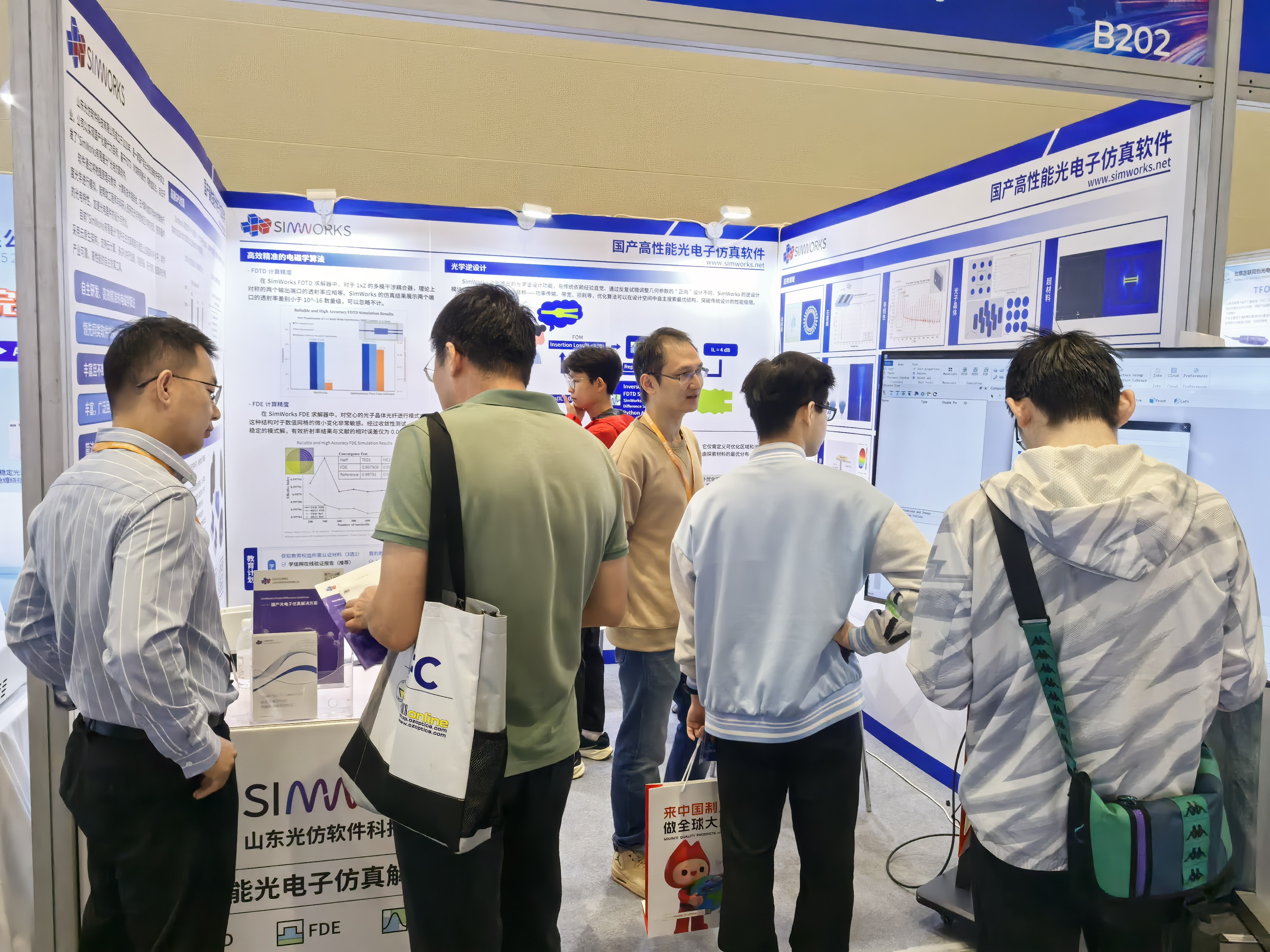
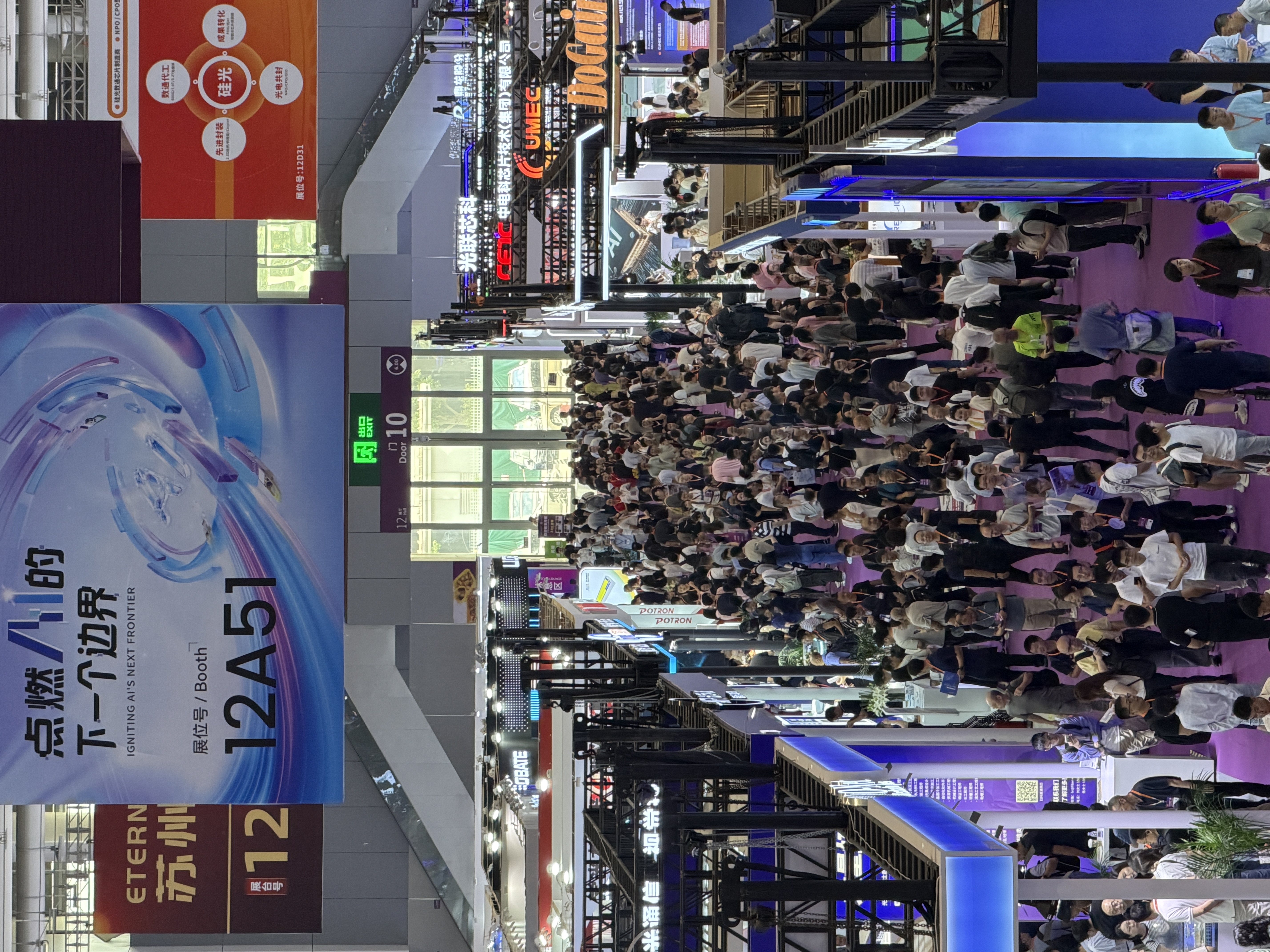
From September 10th to 12th, the 26th China International Optoelectronic Exhibition (CIOE 2025) was grandly held at the Shenzhen International Convention and Exhibition Center. This exhibition brings together the world's top enterprises and industry experts to jointly explore cutting-edge technologies and industrial trends. Shandong Guangfang showcased its independently developed optoelectronic simulation software SimWorks at this grand event, engaging in face-to-face exchanges with industry colleagues from all over the country and attracting the attention and support of numerous experts, partners and audiences in the field. ## Pre-Exhibition Exchange Activities On the eve of the exhibition's opening, SimWorks was invited to attend the "Silicon-based Optoelectronic Technology Driven by Optoelectronic Convergence" technology and market exchange meeting jointly organized by PIC ECOSYSTEM and Xunshi Optoelectronics. The event focused on the technological progress of silicon-based optoelectronic integration and attracted experts, scholars and enterprise representatives from the upstream and downstream of the industrial chain to participate. At the meeting, SimWorks focused on introducing the technical advantages and practical applications of domestic FDTD optoelectronic simulation software. After the meeting, it had in-depth exchanges and discussions with industry colleagues. This high-level technical dialogue also kicked off this CIOE trip. ![Description](https://simworksofficial-files.oss-cn-beijing.aliyuncs.com/jpg/1_2025/09/16A017.jpg) ## Review of the Exhibition Site During the three-day exhibition, the SimWorks booth received many engineers and technical leaders from the fields of optical communication, optical chips and semiconductors, and had in-depth discussions with universities, research institutions and enterprises such as Beijing University of Posts and Telecommunications, Westlake University Institute of Optoelectronics, hisilicon and the 44th Research Institute of China Electronics Technology Group Corporation. Through product demonstrations and interactive exchanges, we comprehensively showcased SimWorks' core advantages in simulation performance, cloud computing, and domestic substitution. We are delighted to see that an increasing number of practitioners are beginning to pay attention to and trust domestic FDTD simulation software. With its independently controllable technical route, SimWorks is providing an increasing number of scientific researchers with safe and reliable simulation platforms, facilitating efficient research and development. ![Description](https://simworksofficial-files.oss-cn-beijing.aliyuncs.com/jpg/图片1_2025/09/15A031.jpg) ![Description](https://simworksofficial-files.oss-cn-beijing.aliyuncs.com/jpg/3_2025/09/15A032.jpg) ![Description](https://simworksofficial-files.oss-cn-beijing.aliyuncs.com/jpg/图片2_2025/09/15A033.jpg) ## Thank You for the Encounter and Treat Each Other with Respect During the exhibition, we have prepared cloud computing coupons and exquisite small gifts for the on-site visitors. Whether it's an in-depth technical dialogue or a simple scan to follow, they are all warm encourgements on our journey forward. Thank you all for being willing to stop and get to know a team dedicated to the research and development of optoelectronic simulation software. ![Description](https://simworksofficial-files.oss-cn-beijing.aliyuncs.com/jpg/图片3_2025/09/15A034.jpg) ## Where the Light Leads, it is Shaped through Imitation This time participating in the exhibition, we not only attracted the attention of many potential customers, but also had fruitful exchanges with many industry partners. These interactions provide us with important ideas and directions for optimizing our products and enhancing our services. Although the exhibition has come to an end, SimWorks' innovation and service will never cease. We will continue to focus on the field of optoelectronic simulation. Through continuous technological updates and iterations, we will provide users with more accurate and efficient simulation solutions. Welcome more friends to keep following the growth and updates of SimWorks through our new media platforms! ![Description](https://simworksofficial-files.oss-cn-beijing.aliyuncs.com/png/B站二维码-300px_2025/09/15A035.png) ![Description](https://simworksofficial-files.oss-cn-beijing.aliyuncs.com/png/知乎二维码-300px_2025/09/15A036.png)
2025-09-12 17:17:08
Details
SimWorks releases SimWorks Finite Difference Solutions version 2.2.0

SimWorks releases SimWorks Finite Difference Solutions version 2.2.0

Dear Users, Thank you for your attention and support for SimWorks software. To further optimize the user experience and enhance simulation quality, the software has been updated to version 2.2.0. The **key updates** in this version include: - **New Python API Interface**: Supports calling script commands in Python to fully control the FDTD simulation process. This facilitates automated operations, secondary development, and personalized customization, enabling rapid and batch processing of complex simulation tasks. - **FDTD Solver Supports Open MPI**: The Linux version of the FDTD GPU solver now supports CUDA-aware OpenMPI, significantly reducing cross-node memory exchange latency and improving the simulation speed of FDTD on multi-node, multi-GPU systems. - **New "Base on a Structure" Feature**: Allows users to create custom grids based on the position and dimensions of a structure or structure group, enhancing the refinement of mesh division. - **New Cloud Computing Task Queue System**: Displays the task queue status during simulation, improving the transparency of user operations and the overall user experience. For the complete list of updates, please refer to the [Release Notes](https://www.simworks.net/en/release-note/-/v2.2). We welcome all users to download and use the software via the [Customer Downloads](https://www.simworks.net/customer-download) page! Shandong Guangfang Software Company has been dedicated to the development of optical simulation software for many years, striving to provide more professional and efficient simulation services. Once again, we thank you for your attention and look forward to your feedback and valuable suggestions!
2025-08-29 18:00:00
Details
SimWorks releases SimWorks Finite Difference Solutions version 2.1.0

SimWorks releases SimWorks Finite Difference Solutions version 2.1.0

Dear users Thank you for your attention and support to SimWorks software. In order to further optimize user experience and improve simulation quality, this software has been updated to version 2.1.0. The key content of this update is: - Add Import Surface structure; - Add the unstructured data type 'unstructured dataset'; - Fix the problem of slow calculation speed of far-field function when the amount of data is too large; - Optimize TFSF Source to improve simulation accuracy and speed. For more updates, please refer to the [Release notes](https://www.simworks.net/en/release-note/-/v2.1) Users are welcome to download and use [Customer Downloads](https://www.simworks.net/customer-download)! Shandong Guangbian Software Company has been deeply involved in the development of optical simulation software for many years, committed to providing more professional and efficient simulation services. Thank you again for your attention, and we look forward to your feedback and valuable opinions!
2025-07-11 17:30:00
Details
Exhibition Event | SimWorks Concludes the 16th Optoelectronics Industry Expo 2025 with Success, Embarking on a New Simulation Future with You

Exhibition Event | SimWorks Concludes the 16th Optoelectronics Industry Expo 2025 with Success, Embarking on a New Simulation Future with You

**June 25-27, 2025** | The 16th Optoelectronics Industry Expo was held grandly at Beijing National Convention Center. As a leading optoelectronic simulation software service provider in China, Shandong SimWorks Software Technology Co., Ltd. showcased its core product SimWorks at the exhibition, exploring cutting-edge optoelectronic technologies with numerous industry experts. ### Exhibition Highlights #### Industry Exchange: Fruitful Technical Discussions During the three-day exhibition, SimWorks attracted many professional visitors with its **powerful simulation performance**, **wide application fields** and **multi-GPU parallel acceleration** advantages, conducting in-depth exchanges with dozens of universities including **Tsinghua University, Beijing Institute of Technology, Chinese Academy of Sciences, Beijing Information Science & Technology University, Guangzhou University, and Qilu University of Technology**, jointly discussing future trends of optical simulation technology. <br> ![Exhibition](https://simworksofficial-files.oss-cn-beijing.aliyuncs.com/webp/640_2025/08/07A004.webp){{{width=600px height=auto}}} ![Exhibition](https://simworksofficial-files.oss-cn-beijing.aliyuncs.com/webp/640%20(1)_2025/08/07A005.webp){{{width=600px height=auto}}} ![Exhibition](https://simworksofficial-files.oss-cn-beijing.aliyuncs.com/webp/640%20(2)_2025/08/07A006.webp){{{width=600px height=auto}}} <br> #### Customer Appreciation: Extended Coupon Benefits To thank our users for their support, our "Register to get ¥200 cloud computing GPU acceleration trial coupon" campaign launched during the exhibition is still ongoing, limited to 100 copies only. 🔹 Registered users: Coupons have been issued to Cloud Computing Workbench - My Coupons, please check and use them in time (valid for 1 year) 🔹 Users who didn't attend: Follow our service account and reply [光博会福利] to claim ### Gratitude and Outlook We sincerely appreciate all industry colleagues who visited SimWorks booth during the exhibition. Your support is our greatest motivation! SimWorks will continue to iterate products to provide more efficient simulation tools for the optoelectronics industry! ### Scan to follow WeChat Service Account ![Description](https://simworksofficial-files.oss-cn-beijing.aliyuncs.com/png/image_2025/08/07A007.png){{{width=200px height=auto}}}
2025-06-27 17:00:00
Details