
News

SimWorks releases SimWorks Finite Difference Solutions version 3.4.0

SimWorks releases SimWorks Finite Difference Solutions version 3.4.0

Dear users: Thank you all for your attention and support to the SimWorks software. To further optimize the user experience and enhance the simulation quality, this software has been updated to version 3.4.0. **The key update contents this time are:** #### EME Simulation Enhancement: New emesweep Rapid Sweep Function for Improved Efficiency and Fine Control The EME solver introduces the emesweep sweep functions, which through flexible parameter sweeps significantly reduce simulation time and device design cycles for large optical components: - **Propagation sweep**: Varies cell length to obtain the S‑matrix as a function of length. No need to recompute modes, resulting in very fast computation. - **Wavelength sweep**: Varies wavelength to obtain the trend of the S‑matrix with wavelength. This mode does not recompute modes and is suitable for scenarios where the mode field does not change significantly with wavelength. - **Mode convergence sweep**: Varies the maximum number of modes per cell to observe changes in the S‑matrix, used to assess mode convergence. - **Scripting support**: New `emesweep` script commands support the three sweep tasks (propagation, wavelength, mode convergence), corresponding one‑to‑one with the three sweep types described above. In addition, this release includes the following simulation details and operational improvements: - **UI upgrade**: Adds an EME Analysis Window with a two‑panel layout. The left panel focuses on core EME propagation parameters, while the right panel provides various emesweep analysis functions. - **Computational performance optimization**: Optimizes the EME Propagate calculation flow to further improve simulation speed. - **Dimensional and visualization enhancements**: Adds a *Solver spatial type* option to support custom propagation directions; adds a *Display cells* option to show or hide cell boundaries in the view, improving the visualization experience. - **Sweep and optimization**: The EME solver now fully supports sweep and optimization functions, allowing users to perform more diverse parameter searches in the optimization sweep window. ![](https://simworksofficial-files.oss-cn-beijing.aliyuncs.com/mdfile/resources/img/EME_sweep_analysis_window.png) Complete update content see - [Release Notes](https://www.simworks.net/en/release-note/-/v3.4), Welcome users to download to use - [Customer Downloads](https://www.simworks.net/en/trial-instruction) ! Shandong Guangfang Software Company has been deeply engaged in the development of optical simulation software for many years, committed to providing more professional and efficient simulation services. Once again, we thank you all for your attention and look forward to your feedback and valuable suggestions!
2026-05-29 18:55:12
Details
SimWorks releases SimWorks Finite Difference Solutions version 3.3.0

SimWorks releases SimWorks Finite Difference Solutions version 3.3.0

Dear users: Thank you all for your attention and support to the SimWorks software. To further optimize the user experience and enhance the simulation quality, this software has been updated to version 3.3.0. **The key update contents this time are:** #### New MCP Service: AI Large Language Model-Driven Natural Language Interaction To improve software intelligence and operational convenience, we officially introduce the MCP Service. Built on Anthropic's open-source Model Context Protocol (MCP) standard, this service establishes a standardized communication bridge between AI large language models and SimWorks software. The MCP Service empowers AI assistants with the ability to perceive the physical environment in real time, understand user intent, and execute complex commands. Through natural language interaction, the AI can automatically generate and execute SimWorks script commands, covering the entire workflow from solver configuration and light source setup to simulation execution. This capability significantly lowers the software adoption barrier while laying a solid foundation for automated workflows and intelligent design assistance. ![Description](https://simworksofficial-files.oss-cn-beijing.aliyuncs.com/gif/MCP_2026/04/29A018.gif) #### EME Solver Adds Periods and Energy Conservation Core Settings, Advancing Accuracy, Physical Consistency, and Periodic Array Modeling The Eigenmode Expansion (EME) solver now includes `Energy Conservation` and `Periods` settings, allowing users to more finely control simulation accuracy, physical consistency, and periodic structure handling. - **Periods (Periodic Structure Modeling)**: Greatly simplifies the setup of periodic array devices. Users no longer need to model hundreds of periods individually, simply define the period sequence and repetition count via the UI, and the solver automatically performs efficient expanded calculations. - **Energy Conservation**: Expand the policy options for energy conservation to suit more complex scenarios: - `none`: No energy conservation applied. - `make passive`: Automatically correct non-physical gain caused by numerical errors, ensure the S‑parameter matrix strictly satisfies passivity. Suitable for conventional passive device simulations. - `conserve energy`: Designed specifically for periodic devices such as Bragg gratings, enforcing perfect energy conservation correction on the interface S‑matrix. This effectively avoids simulation result distortion caused by the power‑law amplification of small errors over multiple periods, providing physically more reliable simulation data. ![Description](https://simworksofficial-files.oss-cn-beijing.aliyuncs.com/PNG/1280X1280_2026/04/30A005.PNG) #### New Surface Structure Users can now define surface contours using precise mathematical equations, with automatic generation of material volume either above or below the surface. This object integrates three definition methods: conic, polynomial, and custom equations, offering a flexible solution for modeling micro‑nano optical devices, free‑form optical elements, and periodic/non‑periodic surfaces with complex topography. The complete surface equation is: $$ S = S_{\text{Conic}} + S_{\text{Polynomial}} + S_{\text{Custom}} $$ ![Description](https://simworksofficial-files.oss-cn-beijing.aliyuncs.com/PNG/22_2026/04/29A019.PNG) #### Cloud Provider Resource Aggregation: Intelligent Background Allocation, Platform Transparency We deeply integrate cloud provider resources, eliminating the need to distinguish between platforms. Multi‑platform resources are placed into a unified scheduling pool, where the backend intelligent allocation system automatically handles matching and execution. Based on real‑time load, available capacity, and task priority, the system dynamically selects the optimal resource path, reduces queue wait times and resource idle time, and improves concurrency and overall throughput. This mechanism significantly reduces user operations and enhances the user experience. ------------------------------------ Complete update content see - [Release Notes](https://www.simworks.net/en/release-note/-/v3.3), Welcome users to download to use - [Customer Downloads](https://www.simworks.net/en/trial-instruction) ! Shandong Guangfang Software Company has been deeply engaged in the development of optical simulation software for many years, committed to providing more professional and efficient simulation services. Once again, we thank you all for your attention and look forward to your feedback and valuable suggestions!
2026-04-30 09:47:08
Details
SimWorks releases SimWorks Finite Difference Solutions version 3.2.0

SimWorks releases SimWorks Finite Difference Solutions version 3.2.0

Dear users: Thank you all for your attention and support to the SimWorks software. To further optimize the user experience and enhance the simulation quality, this software has been updated to version 3.2.0. **The key update contents this time are:** #### New Built-in Script Commands for Topology Optimization: `topoparamstominfeaturesizeindicator` and `topoparamstominfeaturegradient` In topology optimization, a differentiable constraint function is required to continuously control the feature size of structures to avoid exceeding the limits of actual manufacturing processes. The two newly added script commands calculate the minimum feature size constraint indicator and its gradient, respectively, collectively providing an automated mechanism for manufacturability constraints, helping to develop high-performance photonic devices that meet process requirements. ![](https://simworksofficial-files.oss-cn-beijing.aliyuncs.com/mdfile/resources/img/topo_eps_constrained_compare_new.png) #### Mesh For the Mesh component of FDE and EME solvers, add the _mesh multiplier_ feature under the _Customized mesh type_ option, allowing control over the generated mesh density within the corresponding region by setting a mesh multiplier. Complete update content see - [Release Notes](https://www.simworks.net/en/release-note/SimWorks-Finite-Difference-Solutions/v3.2), Welcome users to download to use - [Customer Downloads](https://www.simworks.net/en/trial-instruction) ! Shandong Guangfang Software Company has been deeply engaged in the development of optical simulation software for many years, committed to providing more professional and efficient simulation services. Once again, we thank you all for your attention and look forward to your feedback and valuable suggestions!
2026-04-01 09:10:28
Details
Exhibition Event |SimWorks Concludes a Successful Showcase at LASER World of PHOTONICS CHINA 2026, Garnering Wide Acclaim from Industry and Academia

Exhibition Event |SimWorks Concludes a Successful Showcase at LASER World of PHOTONICS CHINA 2026, Garnering Wide Acclaim from Industry and Academia

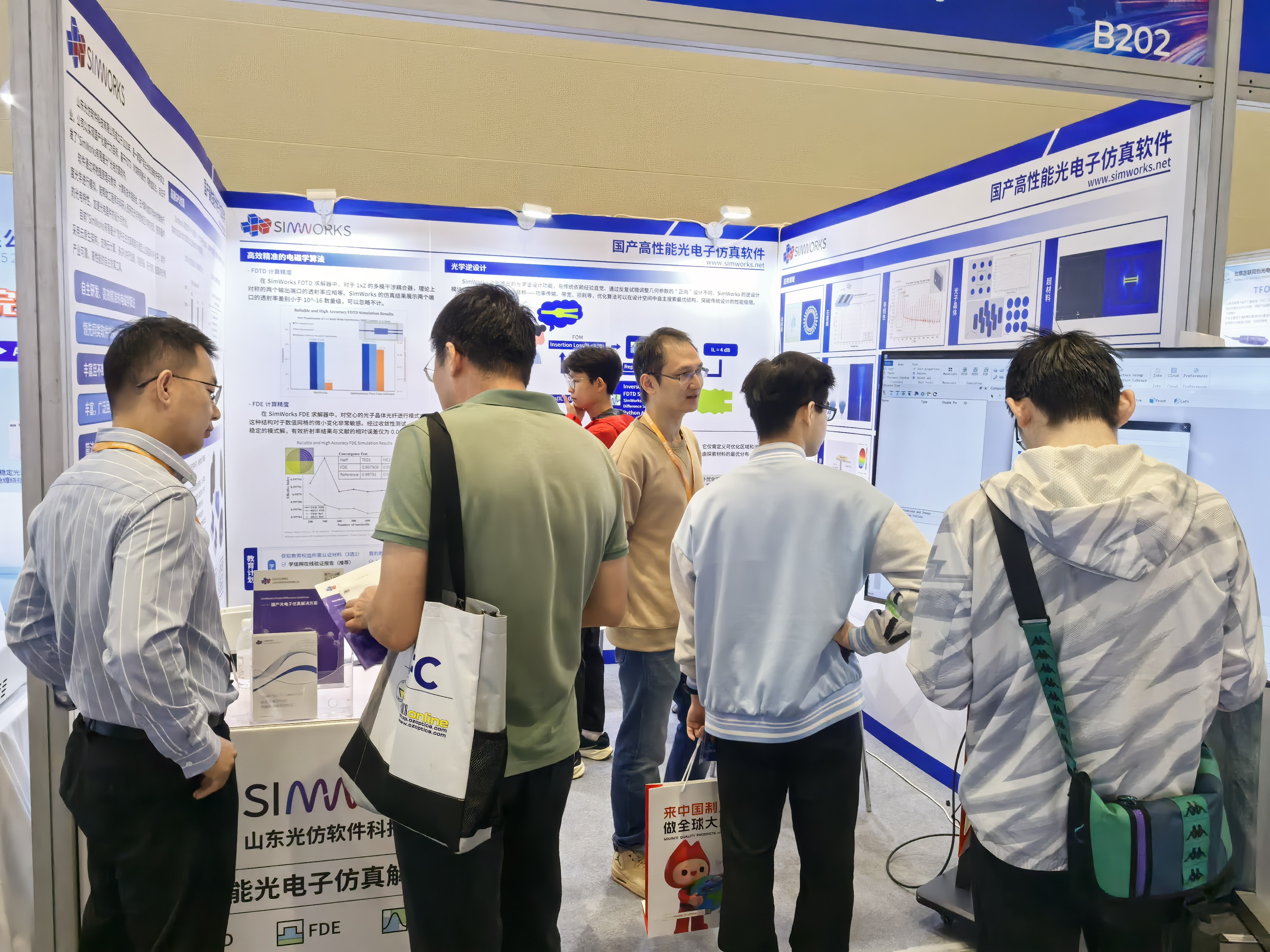
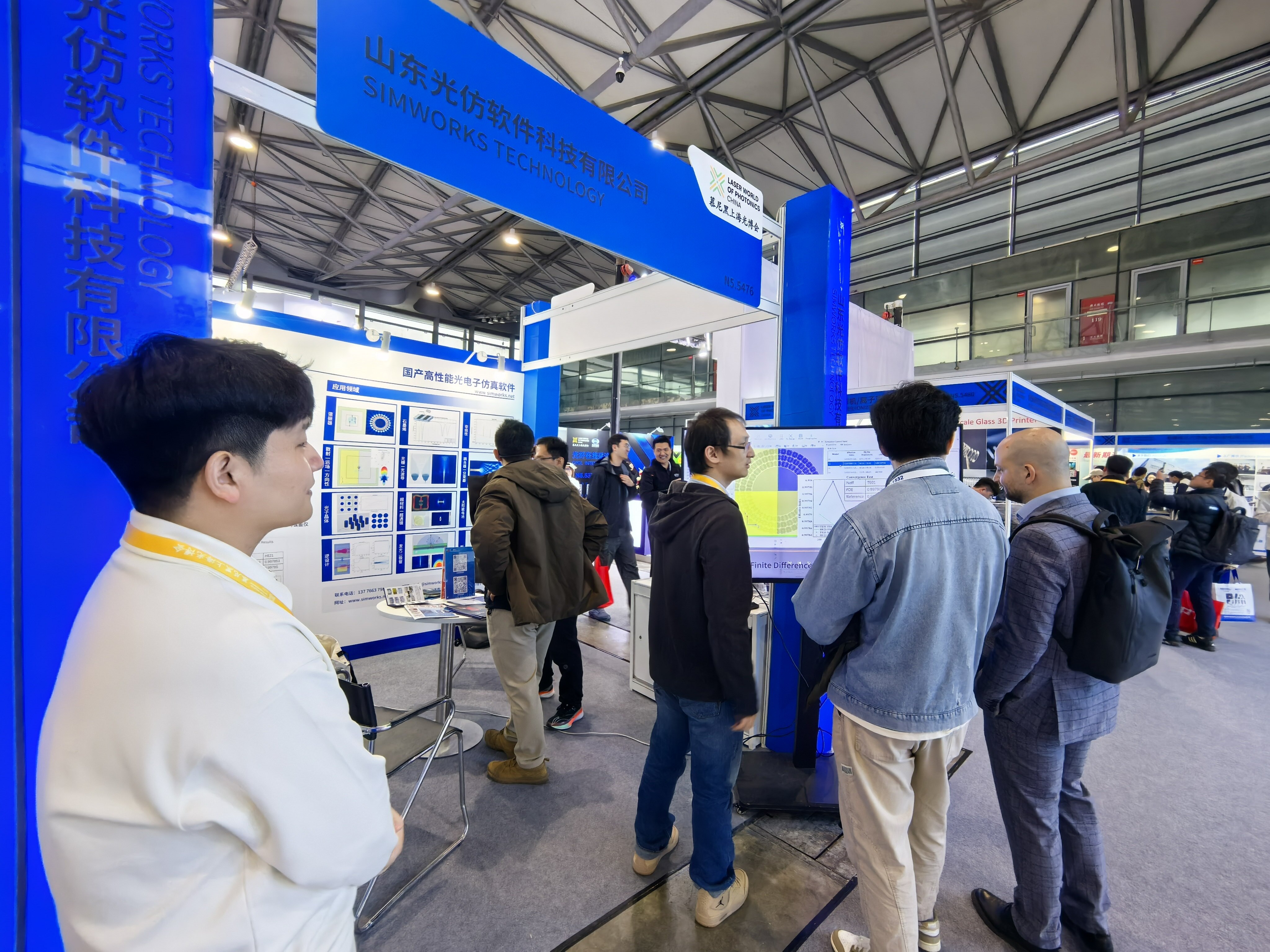
From March 18 to 20, Shandong Guangfang Software showcased its self-developed SimWorks high-performance photonics simulation software at Laser World of Photonics China 2026. During the exhibition, we highlighted SimWorks' advancements in inverse optimization algorithms, GPU acceleration, cloud computing, and application areas. Through live demonstrations and technical presentations, we gained widespread attention and recognition from companies in the optoelectronics industry as well as research institutions and universities. ## Industry Engagement and Collaboration As a domestically developed simulation software, SimWorks attracted significant interest from numerous industry players. Several benchmark organizations, including Huawei, the Shanghai Institute of Optics and Fine Mechanics (Chinese Academy of Sciences), and Zhongke Grating, visited our booth for in-depth discussions on the software's core functionalities and application scenarios, and also made arrangements for future usage. Additionally, our booth welcomed many international industry professionals. These cross-border technical exchanges not only broadened our global perspective but also laid the groundwork for exploring potential opportunities worldwide. ![Description](https://simworksofficial-files.oss-cn-beijing.aliyuncs.com/jpg/3_2026/03/25A009.jpg) ![Description](https://simworksofficial-files.oss-cn-beijing.aliyuncs.com/jpg/5_2026/03/25A010.jpg) ![Description](https://simworksofficial-files.oss-cn-beijing.aliyuncs.com/jpg/6_2026/03/25A011.jpg) ## Interest and Feedback from University Faculty and Students Throughout the exhibition, both new and familiar friends from top-tier universities such as Tsinghua University, Shanghai Jiao Tong University, Huazhong University of Science and Technology, Beijing Institute of Technology, Westlake University, and University of Shanghai for Science and Technology came to our booth. They engaged with the SimWorks technical team to discuss the software's applications and expansion in academic research. There was strong anticipation regarding the progress of domestically developed photonics simulation software and its ability to match international benchmarks. While long-time users shared their SimWorks simulation experiences, many new users were also drawn to try the software on-site, providing us with valuable feedback and suggestions that we will carefully consider for further development and improvement. ![Description](https://simworksofficial-files.oss-cn-beijing.aliyuncs.com/jpg/1_2026/03/25A012.jpg) ![Description](https://simworksofficial-files.oss-cn-beijing.aliyuncs.com/jpg/2_2026/03/25A013.jpg) ![Description](https://simworksofficial-files.oss-cn-beijing.aliyuncs.com/jpg/4_2026/03/25A014.jpg)------------------------------------ ## Exhibition Concludes, Progress Continues Shandong Guangfang Software remains committed to advancing the field of domestically developed photonics simulation, providing reliable, homegrown solutions to serve the industry as a foundational pillar for China's optoelectronics sector. We would like to once again express our gratitude to all colleagues and partners who visited the SimWorks booth during the exhibition. Your support is our greatest motivation to keep moving forward! ### Scan to Follow Our WeChat Service Account ### ![WeChat Service Account QR Code](https://simworksofficial-files.oss-cn-beijing.aliyuncs.com/png/image_2025/08/07A007.png){{{width=200px height=auto}}}
2026-03-21 09:18:39
Details
SimWorks releases SimWorks Finite Difference Solutions version 3.1.0

SimWorks releases SimWorks Finite Difference Solutions version 3.1.0

Dear users: Thank you all for your attention and support to the SimWorks software. To further optimize the user experience and enhance the simulation quality, this software has been updated to version 3.1.0.**The key update contents this time are:** #### Adds the EME Eigenmode Expansion Solver The Eigenmode Expansion (EME) solver divides a long waveguide structure into multiple cells along the propagation direction, solves for the eigenmodes of the cross-section in each cell, and then computes the coupling of these modes between adjacent cells to obtain the complete optical characteristics of the entire device. The EME solver is particularly suitable for analyzing and designing photonic devices with lengths much larger than the wavelength and with slowly varying or periodic refractive index profiles, such as multimode interference couplers (MMIs), fiber Bragg gratings, and adiabatic tapered waveguides. Compared to direct 3D FDTD simulations, the EME solver achieves significantly faster computation speeds while maintaining accuracy, and allows rapid parameter sweeps of key parameters such as device length and wavelength after a single mode calculation, greatly enhancing the design efficiency of photonic integrated circuits. ![](https://simworksofficial-files.oss-cn-beijing.aliyuncs.com/mdfile/resources/img/EME_cell_s_matrix.png) #### Slurm Cluster Resources Now Support File Transfer via Shared Folders and Local Slurm Job Submission This update brings two major enhancements to SimWorks' Slurm cluster resource management: support for file transfer via shared folders, and the ability to submit Slurm jobs directly from a local machine (Linux only). - Support for file transfer via shared folders This feature allows users to map their local working directory to a shared directory on the Slurm cluster. With just one-time path mapping configuration, the system automatically translates local paths to cluster-recognized paths, enabling direct read and write access to project files and result data without the need for traditional SSH+SCP uploads and downloads. This significantly improves file transfer speed and simplifies workflows, especially for handling large datasets. - Local Slurm job submission (Linux only) Now, users on local Linux hosts with Slurm client components installed can choose the local mode to submit Slurm jobs. In this mode, Slurm commands such as `sbatch` are executed directly on the local machine to submit computational tasks, eliminating the need to SSH into a remote management node. This "local submission" mode reduces network hops, making job submission more convenient and efficient, and lowers the risk of job submission failures due to network instability. The local job submission feature is currently supported only on Linux. Users need to configure the job submission method (Local) and file transfer method (Shared directory) in the SimWorks cluster configuration interface, and correctly specify the local-to-remote path mapping. ![](https://simworksofficial-files.oss-cn-beijing.aliyuncs.com/mdfile/resources/img/Slurm_setting_local.png) #### Adds the rectilinear grid dataset type `rectilineardataset` Adds a new rectilinear grid dataset type `rectilineardataset`, providing more flexibility for data storage and processing. Complete update content see - [Release Notes](https://www.simworks.net/en/release-note/-/v3.1), Welcome users to download to use - [Customer Downloads](https://www.simworks.net/en/trial-instruction) ! Shandong Guangfang Software Company has been deeply engaged in the development of optical simulation software for many years, committed to providing more professional and efficient simulation services. Once again, we thank you all for your attention and look forward to your feedback and valuable suggestions!
2026-02-28 17:48:15
Details
SimWorks releases SimWorks Finite Difference Solutions version 3.0.0

SimWorks releases SimWorks Finite Difference Solutions version 3.0.0

Dear users: Thank you all for your attention and support to the SimWorks software. To further optimize the user experience and enhance the simulation quality, this software has been updated to version 3.0.0. **The key update contents this time are:** #### Support for Topology-Based Inverse Design Optimization Inverse design now supports a more flexible topology optimization method. It liberates users from dependence on predefined geometries. By simply specifying a design region and available materials, the algorithm automatically explores the optimal material distribution within that space, ultimately generating high-performance designs with structures that may far exceed traditional expectations. The core concept involves discretizing each FDTD grid cell within the design region into a design parameter representing a material. Based on the normalized grayscale values of these parameters, the topology optimizer is initiated, yielding an optimal design that combines high performance with intricate topology. This provides a powerful tool for developing a new generation of ultra-compact photonic devices, efficient optical sensors, and more. ![](https://simworksofficial-files.oss-cn-beijing.aliyuncs.com/mdfile/resources/img/topology_optimization_new.png) #### Support for MATLAB API Calls The software provides MATLAB API functionality, allowing users to deeply interact with the SimWorks Finite Difference Solutions simulation software by writing MATLAB scripts or programs. Through this interface, users can: - Directly control the simulation software: perform operations such as launching the software, setting parameters, and running simulations. - Achieve bidirectional data exchange: transmit variables, matrices, and complex data structures from the MATLAB workspace to SimWorks, and also extract simulation results and data from the software. - Build automated workflows: integrate the simulation setup, execution, and post-processing flow within the MATLAB environment to achieve task batching, parameter sweeps, and design optimization. Leveraging this API, users can seamlessly combine the powerful physical field simulation capabilities of SimWorks with MATLAB's data analysis and visualization functions. This not only significantly improves the efficiency of simulation post-processing but also offers high flexibility for realizing more complex modeling and building customized simulation platforms. The following code sets up the API runtime environment for SimWorks FD Solutions in MATLAB. ```matlab % Setting up the MATLAB API environment for SimWorks Finite Difference Solutions % Set the software file path (the directory containing `fd_solution.exe`) bin_dir = 'C:\Program Files\SimWorks\SimWorks FD Solutions\bin'; if ~contains(getenv('PATH'), bin_dir) setenv('PATH', [getenv('PATH') ';' bin_dir]); end % Set the MATLAB API interface file path (the directory containing `.mexw64` files) mex_dir = 'C:\Program Files\SimWorks\SimWorks FD Solutions\api\matlab'; if ~contains(path, mex_dir) path(path, mex_dir); end ``` #### New Planar Solid Structure Support is added for the *Planar Solid* structure, which resembles a polygon structure extruded into three-dimensional space. Users can directly construct solid models of arbitrary shapes by defining vertices and facets. This fundamentally simplifies the creation process for complex 3D components. Users no longer need to manually combine multiple basic structures (like blocks and cylinders) and tediously set the mesh order for their overlapping parts, thereby significantly improving modeling efficiency and accuracy. Using this structure requires defining two key variables: - _vertices_: A vertex coordinate matrix, where each row represents the (x, y, z) coordinates of a vertex. - _facets_: Defines which vertices enclose each facet. This variable can be a matrix or a cell array. The order of vertex indices should follow the right-hand rule to determine the front and back sides of a facet (as shown in the figure below, the path defined by vertices $1 \rightarrow 2 \rightarrow 3 \rightarrow 4$ represents the front side, while the path $5 \rightarrow 6 \rightarrow 7 \rightarrow 8$ represents the back side). ![](https://simworksofficial-files.oss-cn-beijing.aliyuncs.com/mdfile/resources/img/planar_solid_picture.png) Complete update content see - [Release Notes](https://www.simworks.net/en/release-note/-/v3.0), Welcome users to download to use - [Customer Downloads](https://www.simworks.net/en/trial-instruction) ! Shandong Guangfang Software Company has been deeply engaged in the development of optical simulation software for many years, committed to providing more professional and efficient simulation services. Once again, we thank you all for your attention and look forward to your feedback and valuable suggestions!
2026-01-30 17:31:26
Details
SimWorks releases SimWorks Finite Difference Solutions version 2.6.0

SimWorks releases SimWorks Finite Difference Solutions version 2.6.0

Dear users: Thank you all for your attention and support to the SimWorks software. To further optimize the user experience and enhance the simulation quality, this software has been updated to version 2.6.0. The key update contents this time are: - **New Inverse Design Optimization Based on Parametric Modeling** : Inverse design is an optimization-based automated method for solving photonic structures in high-dimensional design spaces to meet target performance criteria. As integrated photonic devices grow increasingly complex in geometry, size, and performance requirements, traditional manual design approaches relying on expert intuition are no longer sufficient. Inverse design enables efficient, high-precision automatic device synthesis through closed-loop iterations combining mathematical optimization and physical simulation. - **2D FDTD/FDFD Solvers Support Arbitrary Simulation Planes** : When the solver dimension is set to 2D or 2.5D, a new **Solver Spatial Type** configuration option is added. Users can now flexibly select the simulation plane (XY, YZ, or ZX) in 3D space by specifying the normal direction (**2D X Normal**, **2D Y Normal**, or **2D Z Normal**) according to the spatial characteristics of their model. This enhancement removes the previous limitation of fixed coordinate planes for 2D/2.5D simulations, enabling alignment with actual device geometry and physics while maintaining computational efficiency and significantly improving modeling accuracy and applicability. As shown in the figure below, an elliptical cylinder exhibits distinct geometric features when simulated on different planes (XY, YZ, or ZX), yielding correspondingly different results. - **New Import (n,k) Material Structure** : A new **(n, k) Material** structure is introduced, allowing users to import spatially sampled real (n) and imaginary (k) parts of the refractive index into an **Import** structure object to construct **custom spatially varying material distributions**. Users can import text files containing n/k values along with their corresponding spatial coordinates via the GUI, and the software automatically generates the associated (n, k) material model. The resulting structure’s geometry can be further edited, and a complete set of script commands for **Import (n,k) Material** is provided to support automated modeling and simulation workflows. It is particularly valuable for research and engineering applications requiring precise representation of spatially non-uniform optical properties—such as reconstructing local optical parameters derived from experimental data, multiphysics simulations, or advanced fabrication processes. **Note**: The current version has the following limitations: - (1) Supports only isotropic materials; - (2) Applies only to uniform grids; - (3) Mesh refinement method is limited to **Staircase**. - **New Simulation Page Added to Preferences Window** : The new **Simulation** page centralizes core configuration settings related to simulation behavior and spatial types, including: - **Clear simulation result when switching to Design layout**: When enabled, all existing simulation results in the current project are automatically cleared upon switching from the **Run** layout to the **Design** layout—whether via the **To Design** button or the `switchtodesign` script command. This helps prevent accidental reuse of outdated results after design modifications, ensuring consistency between the current structure and simulation output. - **Specifies the plane used when inserting structures**: Fixes the structure creation direction (**scene view type**) so it no longer changes when the view plane in the Composite View is switched. Note that changing this setting may alter structure orientation compared to previous versions; users should verify their models or scripts after adjustment to avoid simulation inaccuracies. - **Default simulation plane for 2D FDTD**: Allows users to specify a default simulation plane (e.g., XY, YZ, or ZX) for 2D/2.5D FDTD solvers, enabling automatic alignment with preferred working planes when creating new simulations and improving modeling efficiency and consistency. Complete update content see - [Release Notes](https://www.simworks.net/en/release-note/-/v2.6), Welcome users to download to use - [Customer Downloads](https://www.simworks.net/customer-download) ! Shandong Guangfang Software Company has been deeply engaged in the development of optical simulation software for many years, committed to providing more professional and efficient simulation services. Once again, we thank you all for your attention and look forward to your feedback and valuable suggestions!
2025-12-31 17:33:06
Details
SimWorks releases SimWorks Finite Difference Solutions version 2.5.0

SimWorks releases SimWorks Finite Difference Solutions version 2.5.0

Dear users: Thank you all for your attention and support to the SimWorks software. To further optimize the user experience and enhance the simulation quality, this software has been updated to version 2.5.0. The key update contents this time are: - **New total Field/Scattering Field Source Based on Finite-difference Time-domain (FDTD) transient response** : A new injection algorithm for total field/scattering field source (TFSF Source) with FDTD transient excitation has been added. This algorithm features low memory usage, high simulation accuracy and wide application scenarios. Compared with the previous version of TFSF Source, it now supports simulation using non-uniform meshes at any incident Angle, and also supports crossing Bloch boundary conditions at any incident Angle. The simulation accuracy in any simulation scenario of the TFSF light source has been significantly improved, and the leakage error of the scattering field can approach the calculation accuracy limit (-300dB). - **Support for running and solving using Slurm cluster resources** : The software has added the function of calling Slurm cluster resources to run simulation tasks. Users can configure Slurm cluster resources for FDTD and FDFD solving tasks on the resource page, and the software will use the Slurm cluster resources to solve the tasks. - **New "Track selected mode" function** : The FDE solver Frequency sweep analysis has added the "Track selected mode" function, which tracks patterns by calculating the best pattern overlap. - **Optimize the display function of time-domain field diagrams** : When the user selects the "Real-time display of slice fields" option under the "Advanced" TAB in the FDTD Properties window, only the data of the slice where the user specifies Pos X/Pos Y/Pos Z is located is saved, reducing the amount of saved data and improving the simulation performance. After optimization, the time-domain field diagram no longer supports full-field playback of simulation data. Support the modification of Pos X/Pos Y/Pos Z during the simulation process. After the simulation is completed, only the time-domain field replay of the final set position is supported. Complete update content see - [Release Notes](https://www.simworks.net/en/release-note/-/v2.5), Welcome users to download to use - [Customer Downloads](https://www.simworks.net/customer-download) ! Shandong Guangfang Software Company has been deeply engaged in the development of optical simulation software for many years, committed to providing more professional and efficient simulation services. Once again, we thank you all for your attention and look forward to your feedback and valuable suggestions!
2025-11-28 17:38:56
Details
Conference & Training | SimWorks made its appearance at the Suzhou Micro-Nano Optics Conference

Conference & Training | SimWorks made its appearance at the Suzhou Micro-Nano Optics Conference

From November 13th to 15th, the 9th Micro-Nano Optical Technology and Application Exchange Conference was successfully held at the Hilton Suzhou Wuzhong. As an active promoter in the field of domestic optoelectronic simulation, SimWorks has deeply participated in this grand event, making an appearance at the concurrent "New Quality Productivity & Micro-Nano Manufacturing Achievements Exhibition", and was invited to give a special training on "Intelligent Design of Micro-Nano Optics", comprehensively showcasing our technical accumulation and product capabilities in the field of micro-nano optoelectronic simulation. ## The exhibition site At the booth site, we visually presented the software's solution accuracy and efficient simulation capabilities to the audience through video demonstrations. Many visitors stopped to have a look and engaged in in-depth discussions on specific scientific research or engineering issues. Many users also scanned the code on the spot to register and received the coupons and small gifts we prepared. During the conference, we had in-depth exchanges with teachers and students from **Nanjing University of Aeronautics and Astronautics, Huazhong University of Science and Technology, Beijing University of Technology, Nanchang University, Southern University of Science and Technology, Huawei** and other universities as well as enterprise engineers. We also witnessed the growing trust and expectations of users for domestic simulation software. ![Description](https://simworksofficial-files.oss-cn-beijing.aliyuncs.com/jpg/微信图片_20251118092947_247_2_2025/11/18A017.jpg) ![Description](https://simworksofficial-files.oss-cn-beijing.aliyuncs.com/jpg/微信图片_20251118092956_251_2_2025/11/18A012.jpg) ![Description](https://simworksofficial-files.oss-cn-beijing.aliyuncs.com/jpg/微信图片_20251118092954_250_2_2025/11/18A013.jpg) ![Description](https://simworksofficial-files.oss-cn-beijing.aliyuncs.com/jpg/微信图片_20251118092952_249_2_2025/11/18A014.jpg) ## Specialized training On the afternoon of the 15th, the SimWorks team provided software explanations to the trainees in the special training session on "Intelligent Design of Micro-Nano Optics". The content covers: The core algorithms and performance advantages of the software - Comparison of simulation algorithms and overview of Simulation processes - Explanation of typical Application cases (including microring resonators, metamaterials, superlenses, etc.) The on-site audience actively participated in the interaction. Many viewers raised questions about specific application scenarios during the Q&A session, and we provided detailed answers to each one. ![Description](https://simworksofficial-files.oss-cn-beijing.aliyuncs.com/jpg/微信图片_20251118093004_252_2_2025/11/18A015.jpg) ![Description](https://simworksofficial-files.oss-cn-beijing.aliyuncs.com/jpg/微信图片_20251118093006_253_2_2025/11/18A016.jpg) ## Thank you for your company. We will keep moving forward. Thank you to every friend who visited our booth and participated in the training. Your attention is the driving force for our continuous iteration. Your recognition is the significance of our commitment to independent innovation. In the future, SimWorks will continue to focus on the field of optoelectronic simulation, providing more intelligent, efficient and user-friendly simulation tools to facilitate scientific research breakthroughs and industrial application.
2025-11-07 11:43:49
Details
SimWorks releases SimWorks Finite Difference Solutions version 2.4.0

SimWorks releases SimWorks Finite Difference Solutions version 2.4.0

Dear users, Thank you all for your attention and support to the SimWorks software. To further optimize the user experience and enhance the simulation quality, this software has been updated to version 2.4.0. The key updates this time are: **SimWorks Finite Difference Solutions Software Update** Dear Users, To further enhance the user experience and improve simulation accuracy, **the software has been updated to version 2.4.0**. The key updates in this release include: - **New FDCT (Finite Difference Carrier Transport) solver**: Based on the drift-diffusion model, it precisely simulates the electrical characteristics of semiconductor devices by solving the Poisson equation and the carrier continuity equation. - **FDTD Coordinate transformation for automatic parallel direction adaptation**: By intelligently selecting the data exchange reference plane, it enables automatic adaptation of simulation tasks to the optimal parallel region, thereby enhancing the speed of parallel computing. - **New feature: Automatic backup of project files at critical time points**: Enabled by default to prevent data loss in case of anomalies. Backup files can be found in the default backup folder. These backup files will only be automatically deleted when the software is closed normally. - **The refractive Index monitor adds the Calculate Index function**: Invoke the solver engine for meshing to generate a refractive index distribution consistent with the simulation. - **Strengthen control flow grammar**:```if```/```while```/```for``` command support in the flow of control of the class C language syntax format. The {} symbol can be used as the start/end symbol of the control flow. - **Optimize the software's saving speed for engineering files**: The post-processing efficiency of the software and the speed of project saving have been comprehensively optimized. The speed has increased by approximately 600% in 4GB projects, and the improvement is even more significant for medium and small-sized projects. - **The FDFD/FDCT solver supports Remote MPI parallel computing**: Users can invoke and execute simulation tasks directly on the remote host by configuring the MPI environment. - **Scanning optimization tasks and 'RunJobs' tasks support task-level multi-resource node parallel computing**: Users can flexibly invoke multiple computing resources in the same simulation workflow and synchronously execute multiple scanning or optimization tasks, significantly enhancing simulation efficiency. Complete update content see - [Release Notes](https://www.simworks.net/en/release-note/-/v2.4), Welcome users to download to use - [Customer Downloads](https://www.simworks.net/customer-download)! Shandong Guangfang Software Company has been deeply engaged in the development of optical simulation software for many years, committed to providing more professional and efficient simulation services. Once again, we thank you all for your attention and look forward to your feedback and valuable suggestions!
2025-10-31 19:01:30
Details