

SimWorks MCP
SimWorks MCP is an intelligent integration solution based on Anthropic’s open-source Model Context Protocol (MCP). Acting as a vital link between AI applications and the professional simulation field, it aims to bridge the gap between Large Language Models (LLMs) and specialized simulation tools, providing AI assistants with secure, standardized, and robust data access and tool-calling capabilities.
Functioning as an intelligent bridge between LLMs and SimWorks software, SimWorks MCP enables AI assistants to perceive simulation environments in real-time and carry out complex tasks. Through natural language commands, AI can directly drive SimWorks software to manage the entire intelligent workflow—from solver configuration and light source setup to simulation execution—drastically improving the integration efficiency and operational flexibility of professional simulation tasks.
Core Values
Compared to traditional simulation workflows, SimWorks MCP delivers significant value enhancements:
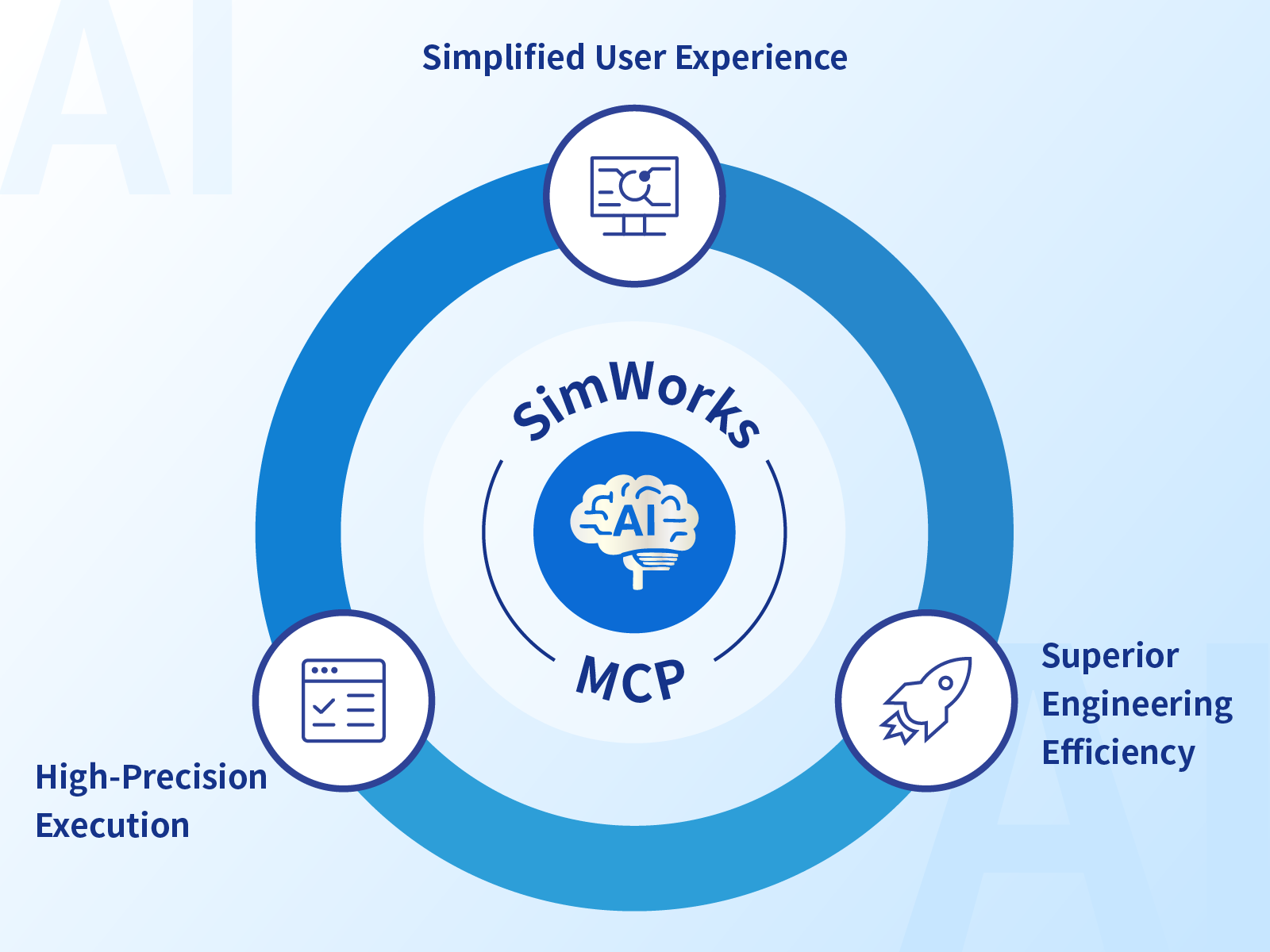
- Simplified User Experience: Through semantic parsing, the AI assistant translates intuitive natural language interactions into complex software operations. Users can perform professional operations through conversation without needing to master intricate software details, achieving a "what you say is what you get" experience.
- Superior Engineering Efficiency: By converting repetitive modeling, parameter configuration, and simulation task scheduling into natural language-driven executions, the product shortens the iteration cycle from design concept to simulation results.
- High-Precision Execution: AI-driven operations strictly adhere to SimWorks software specifications, ensuring high stability. It effectively mitigates input errors from manual operations and syntax or logical issues in scripting, achieving more precise and consistent execution results.
Core Functions & Features
By leveraging pre-configured intelligent agents and toolsets, SimWorks MCP simplifies complex simulation workflows into intuitive natural language dialogues. Its core capabilities include:
- Semantic Command Driving: Translates complex simulation requirements into precise software operations. By simply describing a task, such as "Add a Gaussian light source at the center of the region," the system automatically completes the construction and configuration of model components through pre-set tools.
- End-to-End Simulation Coverage: Deeply integrated with core SimWorks functionalities, providing full-process support—from solver configuration (FDTD, FDE, EME, etc.) and the placement of light sources and monitors to simulation task scheduling and data visualization analysis.
- Seamless Cloud Computing Integration: Supports integration with cloud computing capabilities. Users can directly schedule cloud-based computational resources via AI commands, enabling efficient coordination between local design and cloud-based parallel simulations.
- Standardized Protocol & Secure Control: Built on the MCP protocol, ensuring that all AI-driven calls are standardized and traceable. Through secure connections with SimWorks software, the service strictly safeguards the privacy of research data and computational processes.
Technical Implementation & Compatibility
- Standardized Protocol Architecture: The service fully complies with the MCP protocol standard, utilizing a modular client-server architecture. This standardized design ensures seamless integration with mainstream AI applications (such as Claude Desktop) and provides users with high flexibility in model selection.
- Functional Driving Mechanism: The core capabilities of the service are driven by an integrated suite of Python tools. By encapsulating a rich set of Python APIs, MCP can execute a wide range of complex engineering tasks, including data acquisition, object parameter configuration, simulation workflow control, and result visualization.
Typical Application Scenarios
The SimWorks MCP service is applicable to a wide range of optoelectronic device simulation and design scenarios. Below are several key examples:
- Rapid Prototyping & Verification: During the early stages of research, users can quickly build simulation models through simple natural language descriptions. This enables efficient implementation of design concepts, even for users with minimal prior experience or during rapid validation phases.
- Complex Structure Modeling: For structures with intricate geometric features, such as gratings or metasurfaces, users can guide the AI through step-by-step parameter configuration via natural language, eliminating the need for tedious manual adjustments.
- Education & Demonstration: In educational settings, the AI assistant serves as an interactive teaching tool. Through conversational guidance, it helps users understand software functionalities and provides an intuitive, immersive learning experience.
Deployment & User Guide
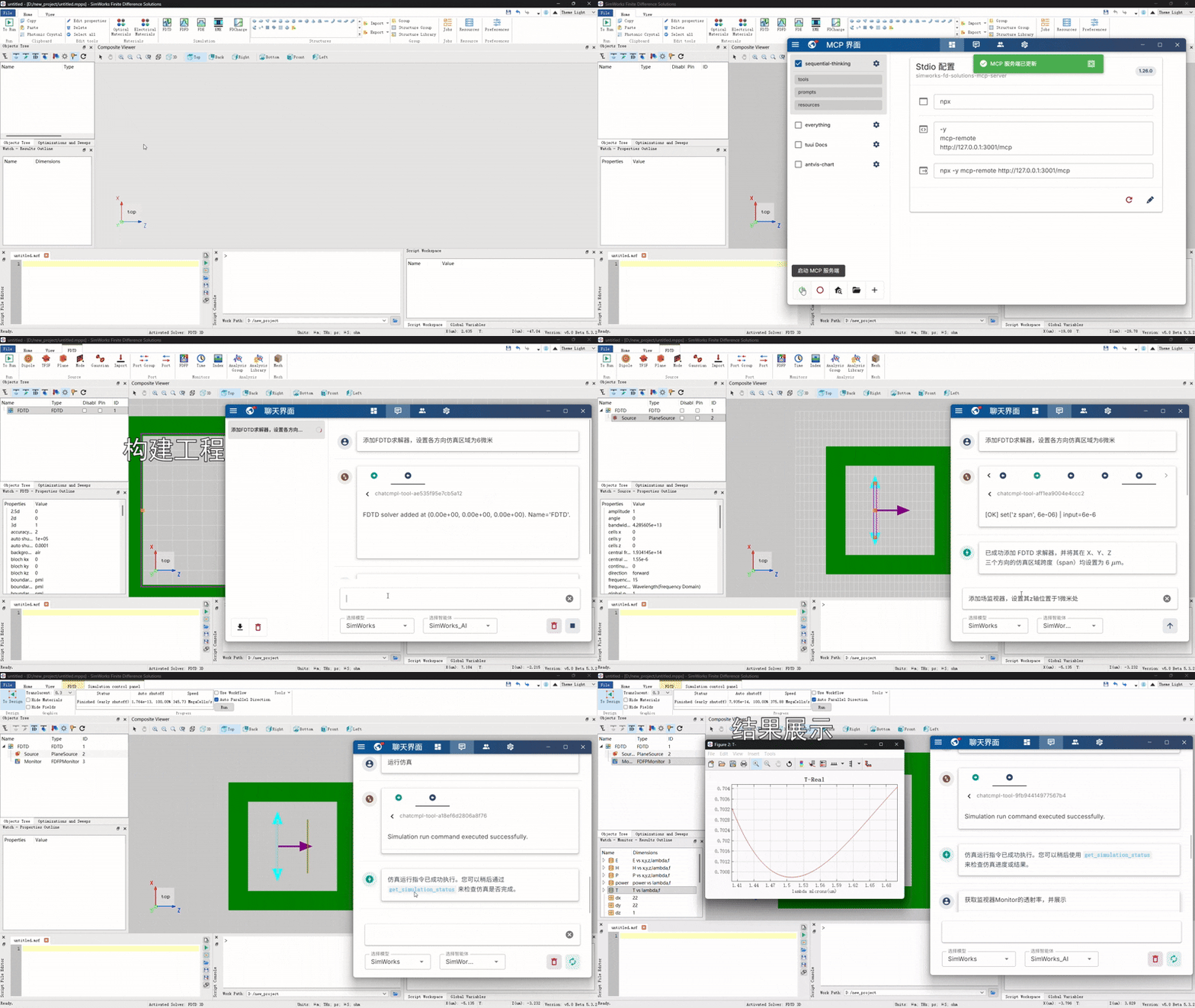
The SimWorks MCP service is deeply integrated into the SimWorks FD Solutions ecosystem, allowing users to start AI-assisted simulation with simple configuration.
- Environment Preparation: Ensure that SimWorks FD Solutions is updated to the latest version and the required Python environment is configured.
- Service Activation: Open the software and launch the service via
File->MCP Server. - Connection & Interaction: Connect an MCP-compatible AI client (such as Claude Desktop) to the local server address to issue simulation commands through natural language.
Note: This product strictly adheres to the security specifications of the MCP protocol. All sensitive operations (such as file writing or command execution) require final confirmation by the user within the client and are subject to strict control via server-side permission settings. Do not expose a high-privilege server to untrusted AI clients without proper permission configurations.
Instruction Mapping Reference:
| Command Type | Natural Language Instruction Example | Corresponding SimWorks Script Operation (Example) |
|---|---|---|
| Add Solver | "Add an FDTD solver." | addfdtd |
| Add Source | "Add a dipole source at the center of the simulation region." | adddipole |
| Add Monitor | "Add a 2D XY plane power monitor at the center of the simulation region." | addpowermonitor |
| Add Structure | "Add a rectangular structure named Si at the center of the simulation region." | addrect |
| Set Material | "Set the material of the structure named Si to Silicon." | setmaterial |
| Run Simulation | "Start running the current FDTD simulation task." | run |
| Data Visualization | "Plot the distribution of the electric field intensity." | visualize / plot |