
Semi-auto Nonuniform Mesh
Semi-auto Nonuniform Mesh #
This section describes semi-auto nonuniform mesh (Semi-auto nonuniform) settings in the solver. For an overview of mesh types, see Mesh Setting Overview.
Semi-auto nonuniform mesh allows users to customize local mesh sizes to meet specific simulation needs. It is suitable for complex structures where certain regions require higher accuracy, and requires users to have some experience in mesh settings. The FDTD solver supports this mesh type. FDFD, FDE, EME, and FDCharge do not offer the semi-auto nonuniform mesh type name, but their mesh settings work in a similar way; refer to the parameters in this section for configuration guidance.
Mesh Definition Type #
Semi-auto nonuniform mesh requires Mesh definition type. This option controls how the mesh is partitioned in each of the X, Y, and Z directions, and each direction can use a different definition type independently. Semi-auto nonuniform mesh supports all four methods below:
| Name | Description | Parameters |
|---|---|---|
| Mesh size | Sets the physical size of mesh cells in that direction. | dx (mesh size can be set separately for each direction) |
| Number of mesh cells | Sets the total number of mesh cells in that direction within the simulation region. | cells x / cells y / cells z |
| Mesh cells per wavelength | Sets the number of mesh cells per wavelength in that direction. | cells per wavelength at x / y / z |
| Mesh size and Mesh cells per wavelength | Calculates the mesh size from Mesh size and Mesh cells per wavelength separately for that direction, then uses the finer (smaller) value for partitioning. | Combination of dx and cells per wavelength |
When Mesh size is selected, specify the base mesh size in each direction by setting dx; this can be combined with custom meshes to generate nonuniform meshes. When Number of mesh cells is selected, specify the number of cells in each direction by setting cells x, cells y, and cells z to generate a uniform mesh. When Mesh cells per wavelength is selected, specify the wavelength-based sampling density in each direction by setting cells per wavelength at x, y, and z; the software generates nonuniform meshes based on the refractive index of different materials. When Mesh size and mesh cells per wavelength is selected, the software calculates the mesh size from both Mesh size and Mesh cells per wavelength for each direction and uses the finer (smaller) value as the partitioning basis for that direction.
Mesh Grading Factor #
Mesh grading factor controls the growth rate between adjacent mesh cells. A smaller value produces smoother size transitions and helps reduce numerical errors. Adjust this parameter based on structural complexity so that critical regions are more finely meshed with natural transitions. This option applies only when generating nonuniform meshes with Mesh size, Mesh cells per wavelength, or Mesh size and mesh cells per wavelength, and must be set in conjunction with the mesh definition type. Refer to the case studies below for usage examples.
| Name | Default | Description |
|---|---|---|
| Mesh grading factor | 1.41421 | The maximum growth rate of the mesh. For example, a=dx(i+1)/dx(i), where a should be less than or equal to the grading factor. The grading factor should be between 1 and 2. |
For mesh refinement, see Mesh Refinement. For minimum mesh size, time step, and Mesh order, see Mesh Setting Overview.
Case Study: Using Semi-auto Nonuniform Mesh #
In general simulations, Auto nonuniform mesh is sufficient for accurate mesh partitioning. The software provides Semi-auto nonuniform mesh for advanced users to customize mesh partitioning.
1. Create a simple cube model with a relative refractive index of 4 and a simulation wavelength of 1μm. Using Auto nonuniform mesh with an accuracy level of 2, the mesh size in the vacuum is 0.1μm, and the mesh size in the cube region is 0.025μm. The mesh partitioning is shown below.
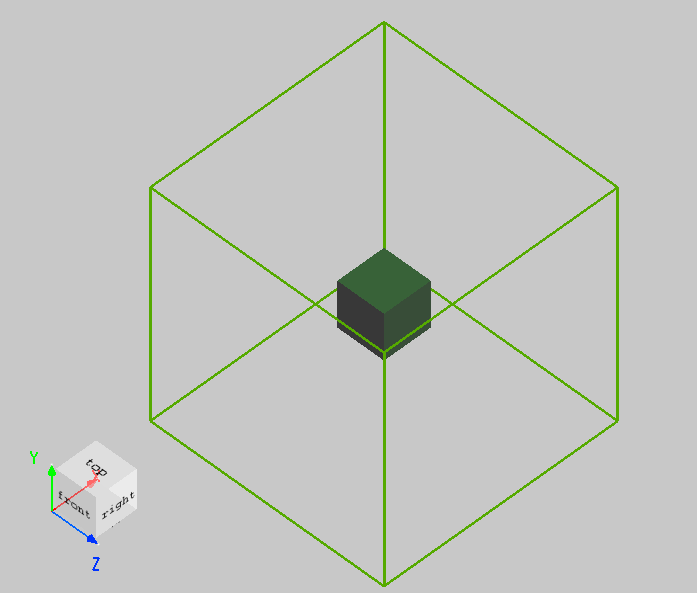
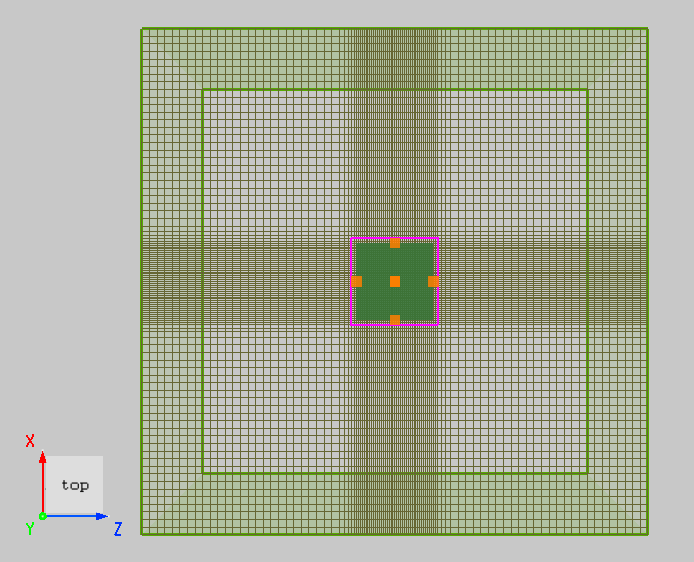
Using Semi-auto nonuniform mesh, the following settings can achieve smoother transitions:
| Mesh type | Mesh definition type | Mesh grading factor |
|---|---|---|
| Semi-auto nonuniform | Mesh cells per wavelength = 10 | 1.05 |
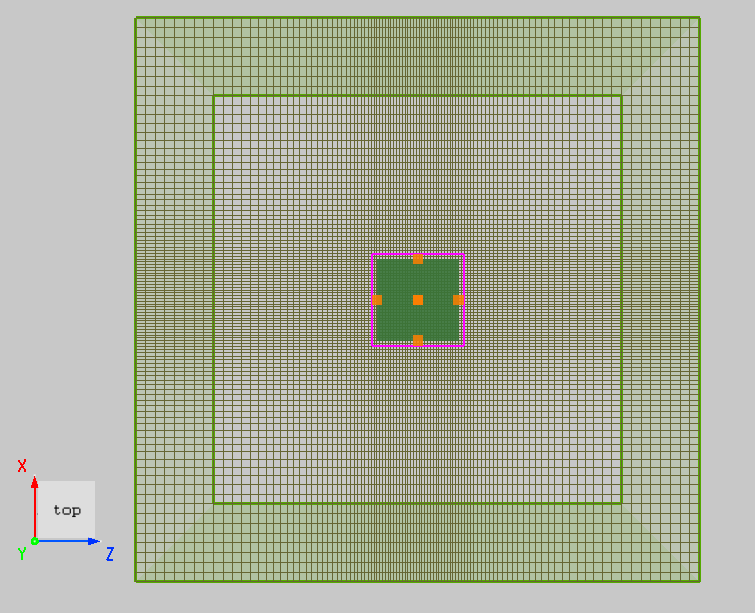
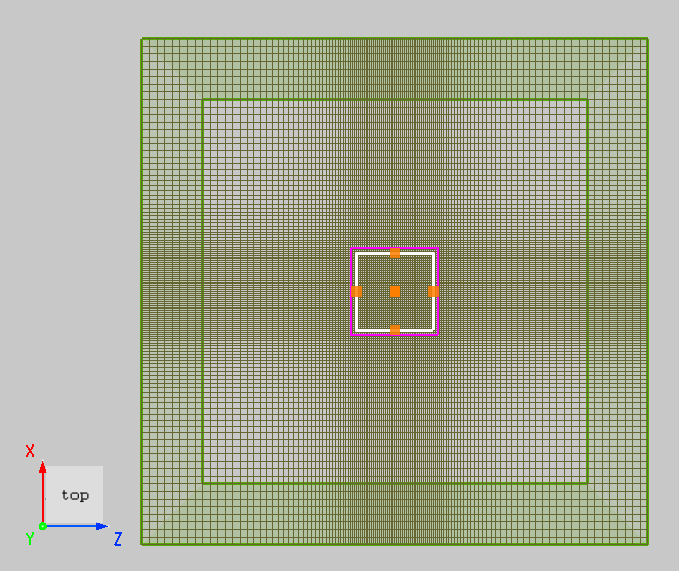
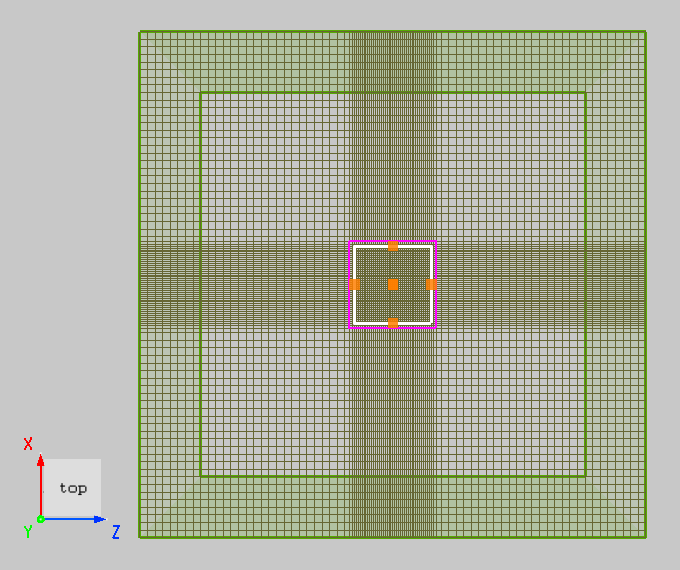
2. Similarly, in large-scale simulations, a larger Mesh grading factor can be used to increase the mesh growth rate and save computational resources. Create a Custom Mesh with dx=0.025μm, and compare the results using different grading factor values. The first image uses 1.05, and the second image uses 1.8.
| Mesh type | Mesh definition type | Mesh grading factor |
|---|---|---|
| Semi-auto nonuniform | Mesh size = 0.1 μm | 1.05 / 1.8 |