Property Expressions
Property Expressions #
This section describes how to set property expressions. Property expressions are used to establish property dependency relationships between elements. This feature is essential for building increasingly complex photonic integrated circuits based on subcircuit elements. With property expressions, users can create an unlimited number of hierarchy levels between compound elements and automatically cascade property changes at higher levels to lower levels, thereby simplifying the construction and maintenance of complex photonic integrated circuits.
The values of element properties can be set through property expressions. An expression can be a formula using any parent-level property, or it can be a simple numerical value.
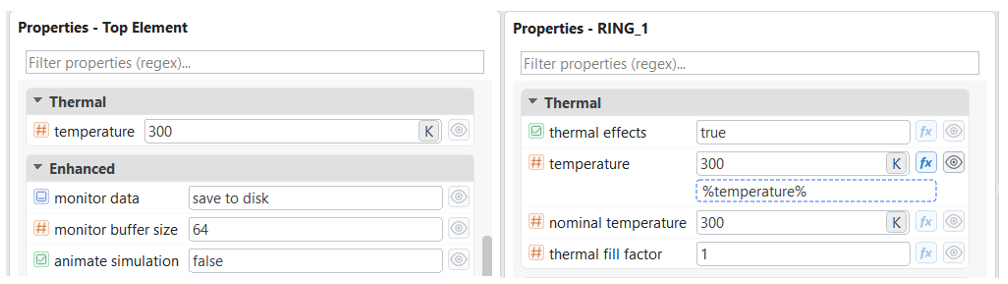
Sub-elements Inheriting Parent Element Properties #
By typing the property name of the parent element into the property expression of a sub-element, the sub-element can inherit the property from the parent element.
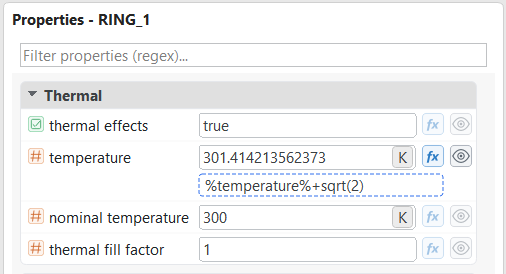
Setting Property Values Through Expressions #
Entering an expression in the property expression of the target element enables setting of the property value.
Adding New Properties in the Top Element/Compound Element #
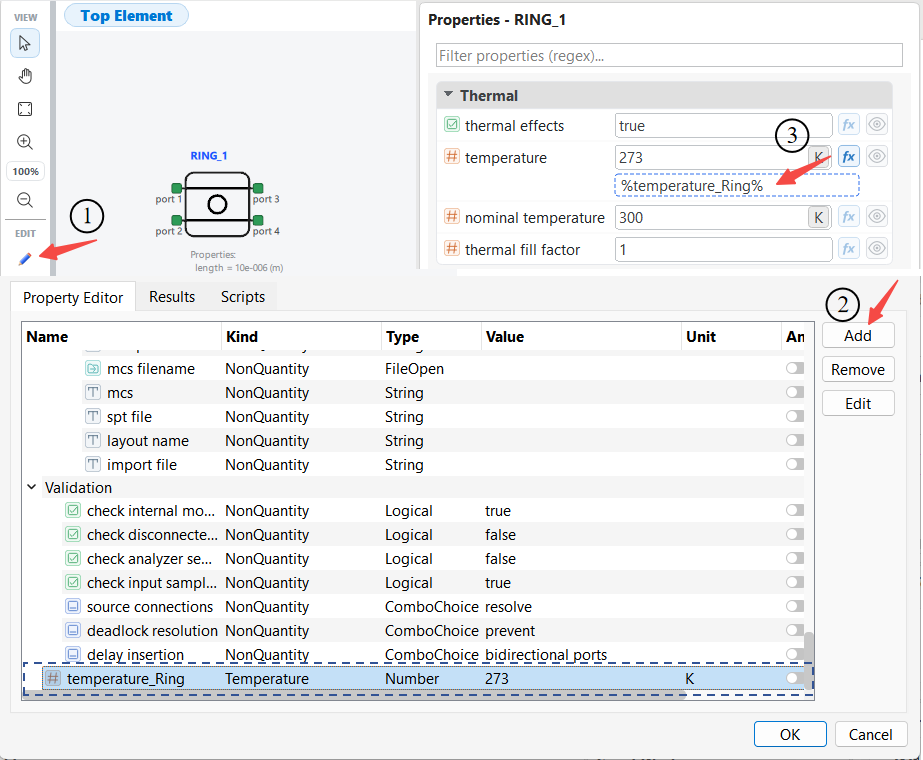
Users can add new properties in the property editor of the top element or a compound element for target elements to inherit. The operation steps are as follows:
- Select the top element or compound element and click the
Editbutton in the schematic editor to open the property editor. - In the property editor, click the
Addbutton to add a new property row, and set its name, type, and value. - Enter the corresponding property name in the property expression of the target element to inherit the property.