

Script Development Environment
Script Development Environment #
Features #
The software's script editor is very powerful:
-
It supports the input of multiple data types, especially a complete handling solution for matrices, making it convenient for users to process data and greatly improving the computational efficiency of programs;
-
Scripts can fully control simulation projects, support reading, modifying, and importing simulation parameters of various elements, and provide display and post-processing functions for simulation result data;
-
Scripts provide user-defined function capabilities to meet users' personalized needs.
Script Editor #
The script editor is shown below:
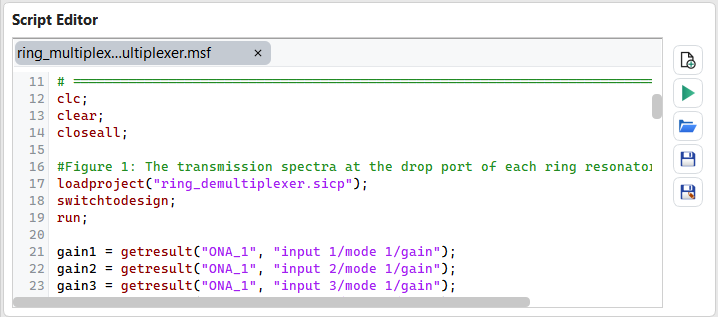
The script editor includes the following options:
| Name | Description |
|---|---|
| New Script File | Create a new script file. |
| Run Script | Run the script file. |
| Open Script File | Open a script file. |
| Save Script File | Save the script file. |
| Save As Script File | Save as a script file. |
Script Console #
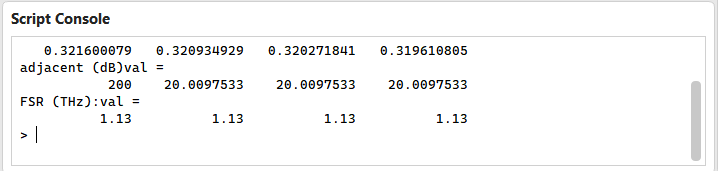
Script console: run script commands.
Script Workspace #
The script workspace is shown below:
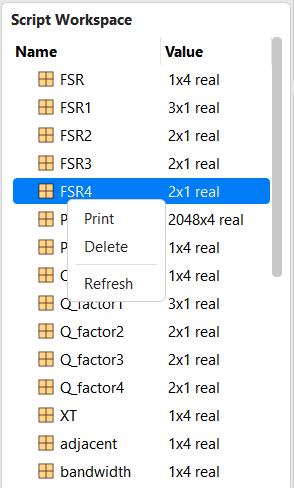
- Select a variable and right-click to bring up many useful functions for operating on that variable;
- The
clearandclearallfunctions are used to clear the variables here.
More #
For the built-in script function library, see Built-in Script Function Library.