

Script
Script #
Script #
Features #
The script editor provided in the software features powerful functionalities:
-
It supports importing various types of data, particularly offering a complete solution for matrix operations, enabling users to process data effectively, and thus significantly increasing the program's calculation speed;
-
It not only allows you to control simulation projects, and read, modify and import various simulation parameters such as size, position, material, and frequency, but also supports the display and post-processing of simulation results;
-
It supports user defined functions for scripts according to your specific needs.
Script Editor #
The script editor is shown as below:
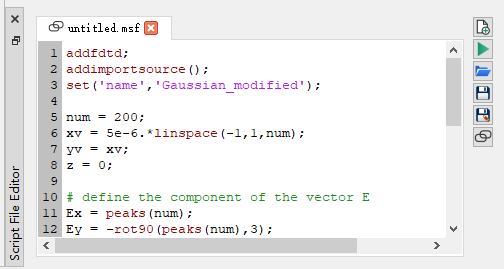
The following options and features are included in the script editor:
| Name | Description |
|---|---|
| New script file | Create a new script file. |
| Run script | Run a script file. |
| Open script file | Open a script file. |
| Save script file | Save a script file. |
| Save as script file | Save a file as a script file. |
| Link script file in project file | The software allows you to link scripts with project files. If this option is enabled, the script file will be automatically loaded when opening the linked project. |
Script Console #
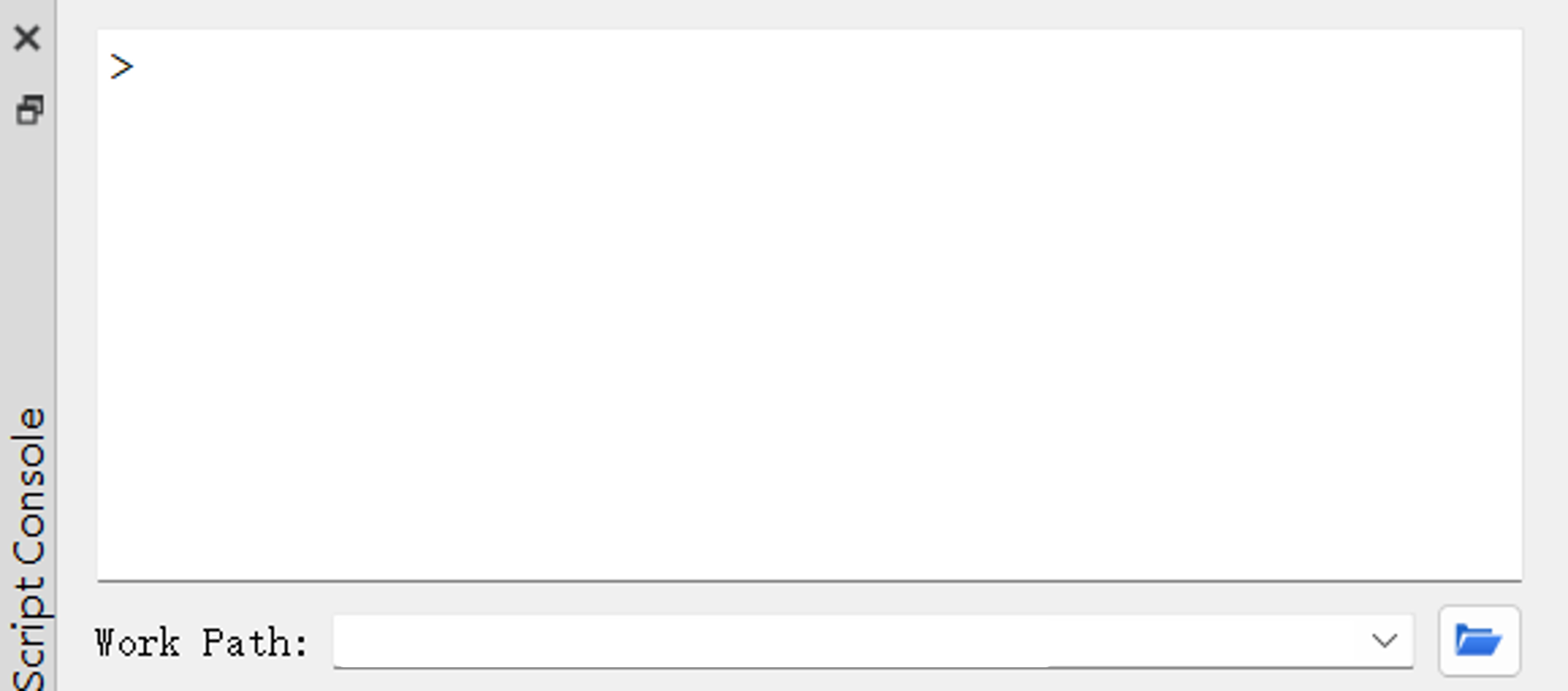
Script console: It is used to run script commands.
| Name | Description |
|---|---|
| Work path | In a script, you can use the Work Path to specify the path for opening or saving data/files. |
Script Workspace #
The script workspace is shown as below:
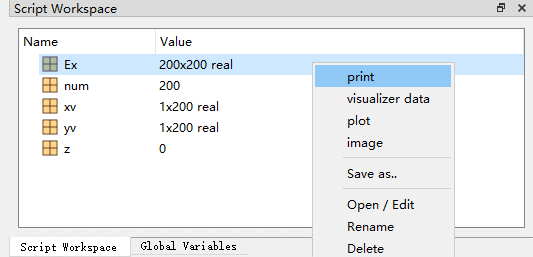
- Select a variable and right-click it. A number of useful functionalities will pop up, allowing you to perform corresponding operations on the variable.
- The
clearandclearallfunctions can be used to clear corresponding variables available in the script workspace.
More Information #
For more information on the built-in script function library, see Built-in Script Function Library.